
The best AI image generators of 2026 offer unparalleled creative possibilities, transforming text prompts into stunning visual art with remarkable realism and detail. Whether you’re a professional designer, a hobbyist artist, or simply curious about the power of AI, selecting the right tool can significantly impact your workflow and the quality of your output. This guide reviews the top 7 AI image generators available this year, highlighting their unique features, strengths, and ideal use cases.
We’ve analyzed each platform based on image quality, ease of use, customization options, speed, and pricing to help you make an informed decision. Dive in to discover which AI image generator will best bring your vision to life.
Key Takeaways
- Compare top AI image generators for realistic art and creative visuals in 2026.
- Understand the unique features and strengths of leading platforms like Midjourney and DALL-E.
- Learn which AI tools are best suited for specific needs, from professional design to personal projects.
- Discover the latest advancements and pricing models in generative AI art creation.
What Are AI Image Generators and How Do They Work?
AI image generators are sophisticated software tools that create visual art and realistic imagery from textual descriptions, often called ‘prompts.’ At their core, these platforms leverage advanced artificial intelligence, particularly deep learning models, to translate human language into pixels. The primary function is to democratize image creation, allowing users without traditional artistic skills to bring their ideas to visual life. Think of it as a digital artist who understands and interprets your written concepts.
The magic behind these generators lies in complex AI architectures. The most prominent are Diffusion Models and Generative Adversarial Networks (GANs). Diffusion models work by gradually adding noise to an image and then learning to reverse this process, effectively ‘denoising’ random data into a coherent picture based on a prompt. GANs, on the other hand, consist of two neural networks – a generator and a discriminator – that compete against each other to produce increasingly realistic images.
From Text to Masterpiece
The process typically begins with a detailed text prompt. You describe what you want to see – for instance, ‘a photorealistic portrait of a robot astronaut on Mars, sunset lighting, detailed suit, 8K resolution.’ The AI analyzes this prompt, breaking down the keywords, concepts, and stylistic elements. It then uses its trained knowledge base, which encompasses millions of image-text pairings, to construct the visual output. Factors like the specificity of your prompt, the model’s training data, and inherent algorithmic biases significantly influence the final image’s quality, adherence to the prompt, and overall aesthetic.
Several key components contribute to the output you receive:
- Prompt Engineering: The art of crafting precise and effective text descriptions.
- Model Architecture: Whether it’s a diffusion model (like Stable Diffusion 3) or a GAN, the underlying structure matters.
- Training Data: The vast dataset the AI learned from shapes its understanding and capabilities.
- Parameters and Settings: Options like aspect ratio, style presets, and negative prompts fine-tune the results.
- Computational Power: The processing power used influences generation speed and complexity.
- Seed Value: A numerical input that can be used to reproduce a specific image.
As of 2026, leading AI image generators such as Midjourney V7 and DALL-E 4 are capable of producing stunningly detailed and contextually accurate images in seconds, often at resolutions exceeding 1024×1024 pixels, with advanced versions supporting up to 4K outputs.
Midjourney: The King of Artistic AI Image Generation
Midjourney stands out as a premier AI image generator, renowned for its exceptional artistic output and creative flair. While its interface is primarily navigated through Discord, this unique approach fosters a vibrant community and constant refinement. Midjourney excels at producing visually stunning and often painterly images, making it a favorite among artists and designers seeking unique aesthetics.
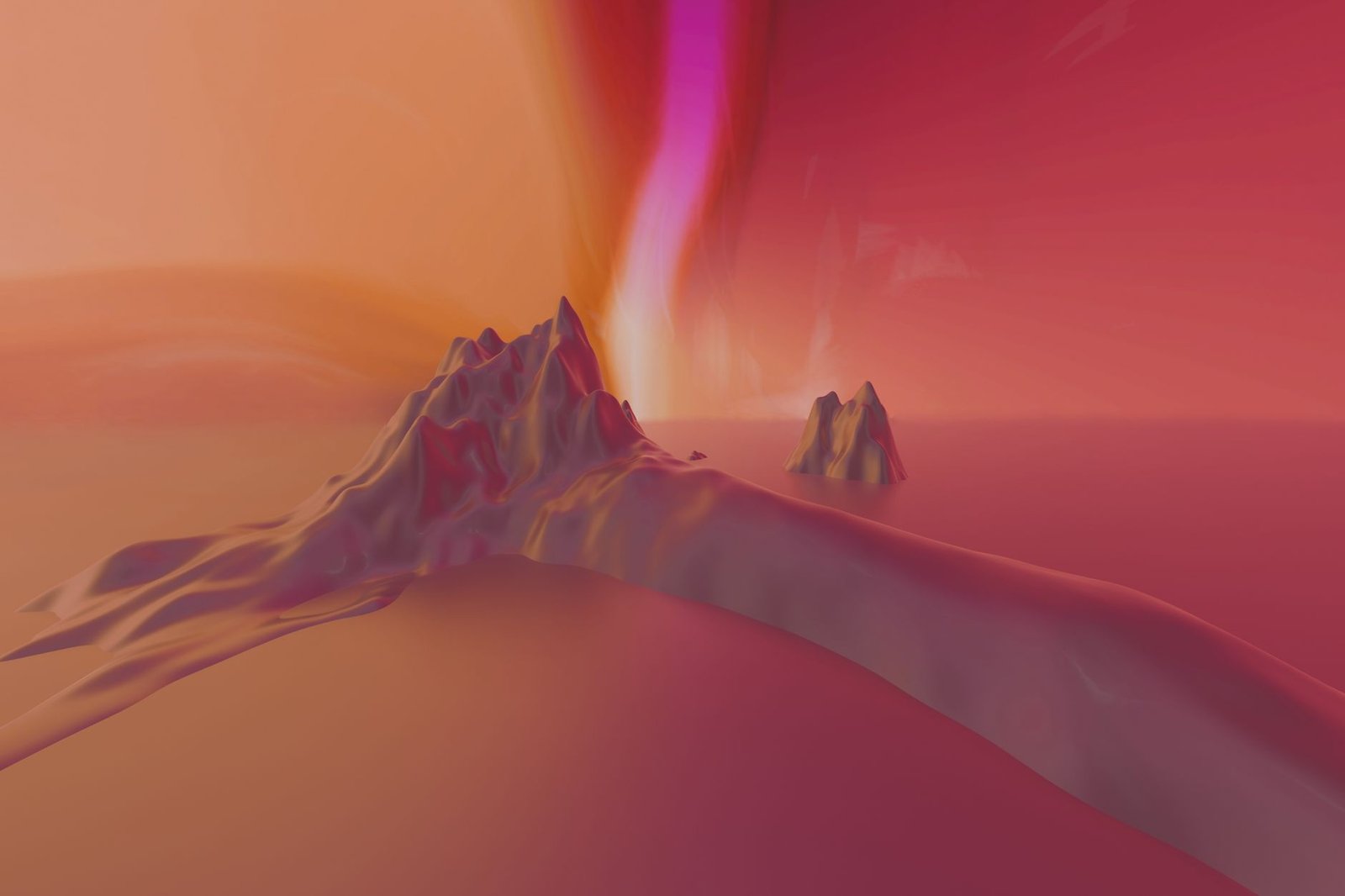
The platform’s strengths lie in its remarkable stylistic versatility and prompt responsiveness. Users can guide Midjourney to generate images in a vast array of styles, from photorealistic to highly abstract, often capturing nuanced artistic interpretations of text prompts. This makes it an incredibly powerful tool for conceptualizing and visualizing ideas with a distinct artistic touch. Despite its power, new users might find the Discord-based interaction a bit of a learning curve compared to more streamlined web interfaces.
Strengths and Use Cases
Midjourney’s artistic quality is its most significant advantage. It consistently delivers images with a high degree of detail, mood, and composition that feel less algorithmically generated and more artistically crafted. This makes it ideal for generating concept art, unique illustrations for articles or books, and striking abstract visuals. Its ability to interpret complex prompts allows for rapid iteration and exploration of creative directions.
Expert Tip: When crafting prompts for Midjourney, focus on evocative adjectives and artistic movements. Instead of just ‘a forest,’ try ‘an ethereal, mist-shrouded forest in the style of Caspar David Friedrich,’ to leverage its artistic strengths.
Considerations
While powerful, Midjourney has certain limitations. The initial learning curve associated with its Discord integration can be a hurdle for some. Furthermore, understanding the nuances of its commercial use policies, which differ based on subscription tiers, is crucial for professional applications. As of 2026, the Pro tier offers broader commercial rights, but always verify the latest terms.
Example Prompt: “A steampunk-inspired library interior, warm, inviting, intricate clockwork details, volumetric lighting, cinematic –ar 16:9” This prompt might yield an image of a richly detailed library with gears and brass elements bathed in dramatic light.
DALL-E 3: OpenAI’s Realistic Vision
OpenAI’s DALL-E 3 represents a significant leap forward in AI image generation, distinguished by its seamless integration with ChatGPT. This partnership allows users to leverage conversational AI to craft incredibly detailed and accurate image prompts. Simply describe what you envision, and ChatGPT refines it into a prompt that DALL-E 3 can interpret with remarkable fidelity, making it one of the most accessible yet powerful AI image generators available.
The core strengths of DALL-E 3 lie in its exceptional photorealism, its uncanny ability to adhere to complex prompts, and its precision in rendering specific details. Whether you need a product shot for a marketing campaign or a historically accurate depiction of an event, DALL-E 3 excels. Its understanding of nuance means fewer iterations are often needed to achieve the desired result, saving valuable time.
DALL-E 3 Strengths and Weaknesses
Ease of use is a major advantage, especially for beginners or those who find traditional prompt engineering challenging. The high-quality, often photorealistic output is consistently impressive, and its integration into ChatGPT Plus (available for around $20/month) offers good value for frequent users. However, DALL-E 3 is not without its limitations. Its content policies can be quite strict, sometimes leading to a perception of over-censorship, and the cost per image, while bundled in subscriptions, can add up for heavy users compared to some competitors. Furthermore, while excellent for realism, it offers less raw artistic experimentation compared to tools like Midjourney.
Comparative Performance
For specific use cases, DALL-E 3 shines. It’s particularly well-suited for creating marketing materials where brand consistency and realism are paramount, generating believable scenes for educational content, or quickly visualizing product concepts. Here’s a brief comparison:
| Feature | DALL-E 3 | Midjourney V7 (Est. 2026) | Stable Diffusion XL |
|---|---|---|---|
| Photorealism | Excellent | Very Good | Good |
| Prompt Adherence | Excellent | Good | Good |
| Ease of Use | Excellent (via ChatGPT) | Moderate | Difficult |
| Artistic Freedom | Moderate | Excellent | Excellent |
| Accessibility | Good (ChatGPT Plus) | Moderate (Discord Bot) | High (Open Source) |
| Cost | Subscription-based (~$20/mo) | Tiered Subscription (~$30/mo) | Free (Requires Hardware) |
When you need to generate realistic images quickly and accurately, especially by describing them conversationally, DALL-E 3 is a top contender among AI image generators in 2026.
Stable Diffusion: Open Source Powerhouse for AI Art
Stable Diffusion stands out in the AI image generator landscape due to its open-source foundation. This grants users unparalleled flexibility, allowing for deep customization and modification. Unlike many proprietary tools, its core model and code are publicly accessible, fostering rapid development and innovation within its vast community. This approach makes it particularly appealing for developers and researchers seeking to build upon or integrate advanced AI art capabilities into their own projects.
The true strength of Stable Diffusion lies in its extensibility. Users can fine-tune the model with their own datasets to achieve specific artistic styles or subjects. Advanced techniques like LoRAs (Low-Rank Adaptation) allow for efficient style transfer without retraining the entire model, while ControlNet provides granular control over image composition, pose, and depth. This level of control is unmatched by most closed-source alternatives, enabling the creation of highly specific and nuanced AI artwork.
Key Advantages and Drawbacks
The benefits of embracing Stable Diffusion are significant, especially for those with technical backgrounds. You gain a high degree of creative control, the ability to run the AI image generator entirely locally for privacy and speed (assuming adequate hardware), and access to extensive community support through forums and platforms like GitHub. However, this power comes with trade-offs. The learning curve can be steep, particularly for users new to machine learning concepts. Running Stable Diffusion effectively on local hardware, such as a recent NVIDIA RTX 4090 or equivalent, is often necessary for timely generation, which represents a considerable hardware investment in 2026.
The quality of output can also be highly variable and heavily dependent on the user’s expertise. While basic prompts can yield impressive results, mastering Stable Diffusion to consistently produce professional-grade images often requires a deep understanding of its parameters and various add-ons. Beginners might find the initial results less polished compared to curated, user-friendly platforms.
Core Strengths and Considerations
- Open-Source Flexibility: Modify and integrate the model freely.
- Advanced Customization: Fine-tuning, LoRAs, and ControlNet offer precise artistic direction.
- Local Execution: Run computations on your own hardware for privacy and potential cost savings.
- Vast Community: Access to tutorials, custom models, and troubleshooting support.
- Steep Learning Curve: Requires dedication to master its full capabilities.
- Hardware Demands: Optimal local performance necessitates powerful, often expensive, GPUs.
Adobe Firefly: The Creative Cloud Integrated AI
Adobe Firefly emerges as a powerful AI image generator, uniquely positioned within the expansive Adobe Creative Cloud ecosystem. Designed with creative professionals in mind, Firefly leverages Adobe’s deep understanding of design workflows to offer AI tools that enhance, rather than disrupt, existing creative processes. This integration makes it a compelling option for users already invested in Adobe’s suite of applications.
A significant differentiator for Adobe Firefly is its unwavering commitment to commercial safety and ethical AI generation. Adobe has trained its models on Adobe Stock imagery, openly licensed content, and public domain content where copyright has expired. This approach aims to ensure that the generated assets are free from copyright concerns, providing peace of mind for businesses and creators looking to use AI-generated visuals in commercial projects without legal risks. This focus on responsible AI development sets it apart in the competitive landscape of AI image generators.
Key Features and Seamless Integration
Firefly boasts a suite of impressive features tailored for creative tasks. Generative Fill, for instance, allows users to seamlessly add, extend, or remove content from images within Photoshop, using simple text prompts. The Text to Image functionality enables the creation of original artwork from descriptive text, while Recolor Vectors provides an efficient way to experiment with color variations for vector graphics. The true strength of Firefly lies in its integration with applications like Photoshop 2026 and Illustrator 2026, allowing for an intuitive and efficient workflow.
The benefits extend beyond mere functionality. Users gain access to a growing library of royalty-free assets generated through Firefly, directly usable in their projects. However, it’s important to note that Firefly, while powerful, might feel less experimental than some other AI art generators available in 2026. Additionally, unlocking its full potential typically requires an active Adobe Creative Cloud subscription, which may be a consideration for individuals or small teams.
Ideogram AI: Typography-Focused Image Generation
Ideogram AI carves out a distinct niche among AI image generators by excelling where many others falter: accurate and legible text rendering within images. While most platforms struggle with coherent typography, often producing garbled or nonsensical words, Ideogram’s architecture is specifically trained to interpret and integrate text prompts into visual designs. This makes it an indispensable tool for creators who require precise text elements in their generated visuals.
In head-to-head comparisons, Ideogram consistently outperforms competitors like Midjourney or Stable Diffusion when it comes to embedding words into images. For instance, generating a poster for a fictional 2026 tech conference, Ideogram might accurately render the event title, date, and location, whereas other models might produce abstract shapes where text should be. This unique capability positions Ideogram as a powerful asset for specific design workflows.
Strengths in Textual Design
The primary strength of Ideogram AI lies in its ability to produce professional-quality outputs for tasks demanding clear text. This includes generating logos, posters, website banners, and mockups for branded merchandise. If your project requires a graphic with a slogan, a product name, or any other textual information that must be easily readable, Ideogram is often the superior choice. It effectively translates text prompts into visually appealing and grammatically correct text within the generated image, a feat that remains challenging for many advanced AI image generators.
Use Cases and Limitations
Ideogram AI is particularly well-suited for applications in branding and graphic design, especially for creating mockups or initial concepts that require accurate text integration. Imagine needing a quick visual for a new coffee shop’s menu board or a T-shirt design featuring a catchy phrase; Ideogram can deliver these with impressive text fidelity. However, when the primary goal is purely artistic composition or photorealism without a strong text component, its general image quality and artistic flair might not reach the same heights as leading AI image generators that focus solely on visual aesthetics. Users seeking highly imaginative or complex artistic scenes might find other tools offer more creative freedom, but for text-centric needs, Ideogram reigns supreme among current AI image generators.
Leonardo.Ai: A Feature-Rich Generative AI Platform
Leonardo.Ai stands out as a comprehensive generative AI platform, offering more than just basic image generation. It provides a robust suite of tools designed for creators who need fine-grained control and advanced capabilities. The platform boasts a variety of pre-trained models, each optimized for different styles and purposes, alongside the ability for users to train their own custom models.
Key features that set Leonardo.Ai apart include its powerful image-to-image functionality, allowing you to transform existing images based on new prompts, and an intelligent prompt generation assistant that helps users craft effective descriptions. The platform also offers advanced training options, letting you fine-tune models on your specific datasets for highly specialized outputs. This makes Leonardo.Ai a versatile tool for various creative workflows.
Advanced Capabilities and User Experience
While the sheer number of options can initially feel overwhelming, Leonardo.Ai’s interface is surprisingly intuitive once you begin exploring. The platform’s strength lies in its flexibility, catering to both beginners and seasoned professionals. Its generous free tier allows ample experimentation before considering a subscription, which unlocks higher generation limits and premium features.
“For consistent style generation, especially in character design or game assets, leverage Leonardo.Ai’s custom model training. Uploading a small, curated dataset of your desired style significantly improves coherence compared to relying solely on broad prompts.”
The platform’s diverse model selection, from photorealism to anime styles, ensures you can find the right starting point for almost any project. For those focused on game asset creation, detailed character design, or maintaining a specific artistic vision across multiple images, Leonardo.Ai is an exceptional choice. Its ability to generate highly detailed and stylistically consistent outputs makes it a top contender among AI image generators in 2026.
Choosing the Right AI Image Generator for Your Needs
Selecting the ideal AI image generator involves aligning tool capabilities with your specific project goals. Midjourney v7 remains a top choice for artistic flair and stylistic consistency, though its subscription model requires commitment. Stable Diffusion 3.5 offers unparalleled control for advanced users and a robust open-source community, but can have a steeper learning curve. DALL-E 4 continues to excel in prompt adherence and photorealism, making it a reliable option for commercial applications, albeit with a credit-based pricing structure that can add up.
When deciding, consider the primary output you require. For hyper-realistic architectural renders or product mockups, DALL-E 4 or Adobe Firefly are strong contenders. If your focus is on unique artistic styles for character design or concept art, Midjourney v7 or Ideogram AI might be more suitable. For precise editing and integration into existing workflows, models like Stable Diffusion 3.5, especially when fine-tuned, provide the most flexibility. Always test free tiers or trial credits to gauge performance before committing financially.
Balancing Cost, Control, and Convenience
Budget is a significant factor. Free options like Leonardo.ai’s starter plan or open-source Stable Diffusion installations are excellent for experimentation, but often come with limitations on generation speed, features, or commercial use rights. Paid subscriptions, like Midjourney’s, offer consistent access and higher quality outputs. Credit systems, used by DALL-E 4 and others, provide flexibility but require careful budget management, especially for high-volume users. Evaluate the trade-off between the ease of use of simpler interfaces and the granular control offered by more complex platforms.
Future AI image generator developments point towards enhanced semantic understanding, real-time generation, and seamless video integration. Expect tools to become even more intuitive, allowing for complex artistic direction with simpler prompts. Here’s a look at key considerations for your selection:
- Realism: DALL-E 4, Adobe Firefly
- Artistic Style: Midjourney v7, Ideogram AI
- Control & Customization: Stable Diffusion 3.5
- Prompt Adherence: DALL-E 4, Google Imagen 2
- Free/Low-Cost Options: Leonardo.ai (free tier), Stable Diffusion (open source)
- Commercial Use Rights: Adobe Firefly, DALL-E 4 (check terms)
Frequently Asked Questions
What is the most realistic AI image generator?
Currently, DALL-E 3 often excels at generating highly realistic images that closely match detailed prompts. Adobe Firefly is also designed for realism and commercial safety. However, tools like Midjourney and Stable Diffusion, with specific prompting and model selection, can also produce photorealistic results, though they might lean more towards artistic interpretations.
Can AI image generators be used for commercial purposes?
The commercial use policy varies significantly between AI image generators. Adobe Firefly is explicitly designed for commercial safety. Midjourney has specific terms for commercial use depending on your subscription plan. DALL-E 3’s terms generally allow commercial use of generated images, but it’s crucial to review the latest terms of service for each platform to ensure compliance and avoid any usage restrictions.
How much do AI image generators cost?
Pricing models differ greatly. Some, like Stable Diffusion (when run locally), can be free with hardware costs. Others operate on a subscription basis (e.g., Midjourney, Adobe Firefly) offering different tiers of access and features. Many platforms use a credit system where you purchase credits for generating images, with more complex or higher-resolution outputs consuming more credits (e.g., DALL-E 3, Leonardo.Ai).
What is the learning curve for using AI image generators?
The learning curve ranges from very easy to quite steep. DALL-E 3 and Adobe Firefly are generally considered user-friendly, requiring simple text prompts. Midjourney has a moderate learning curve, primarily due to its Discord interface and stylistic prompts. Stable Diffusion, especially when using advanced features or running locally, has the steepest learning curve, appealing more to technically inclined users and developers.
Which AI image generator is best for beginners?
For beginners, DALL-E 3 is often recommended due to its intuitive interface, excellent prompt adherence, and integration with ChatGPT, which can help refine prompts. Adobe Firefly is also very accessible, especially for those already within the Adobe ecosystem. These tools offer high-quality results with less technical know-how required initially.
Can I train my own AI image generator models?
Yes, particularly with open-source platforms like Stable Diffusion, users can fine-tune existing models or train custom ones using their own datasets. Platforms like Leonardo.Ai also offer features for users to train their own models based on specific styles or subjects. This allows for highly personalized image generation but requires a significant understanding of AI concepts and considerable computational resources.
Final Thoughts
The landscape of AI image generation is rapidly evolving, with each of the best AI image generators in 2026 offering unique advantages. From Midjourney’s artistic prowess and DALL-E 3’s photorealism to Stable Diffusion’s open-source flexibility and Adobe Firefly’s commercial safety, there’s a powerful tool for nearly every creative need. Ideogram AI stands out for its typography capabilities, while Leonardo.Ai provides a robust feature set for dedicated users.
Choosing the right generator depends on your specific project goals, desired artistic style, technical expertise, and budget. Experimenting with free tiers and trial periods is the best way to discover which platform resonates most with your creative vision. Start exploring these incredible tools today and unlock new dimensions in your digital art creation!