

The landscape of software development is rapidly evolving, and leveraging the best AI tools for developers is no longer a luxury but a necessity for staying competitive in 2026. These intelligent platforms offer powerful capabilities to automate repetitive tasks, accelerate debugging, enhance code quality, and even suggest new code snippets, ultimately freeing up developers to focus on complex problem-solving and innovation.
This guide provides a comprehensive overview and comparison of the top AI tools available, helping you identify the solutions that best align with your project requirements and development workflow to maximize your productivity.
Key Takeaways
- AI tools for developers streamline coding, debugging, and project management tasks.
- Key benefits include increased speed, improved code quality, and reduced development costs.
- Choosing the right AI tool depends on specific needs like code generation, testing, or deployment.
- Early adoption of these AI solutions can provide a significant competitive advantage.
What are AI Tools for Developers and Why Use Them?
AI tools for developers are specialized software applications that leverage artificial intelligence and machine learning algorithms to assist software engineers throughout the entire development lifecycle. These tools go beyond simple code editors or compilers, offering intelligent features that automate repetitive tasks, suggest improvements, and even generate code snippets.

The core functionalities of these AI-powered assistants span various stages of software development. They excel at code generation, offering intelligent autocompletion and boilerplate code creation. Debugging becomes more efficient with AI identifying potential errors and suggesting fixes. Automated testing, including unit and integration tests, can be generated and executed faster. Furthermore, AI can assist in optimizing code for performance and security, and even aid in deployment strategies.
Enhancing Productivity and Efficiency
Integrating AI tools into your development workflow significantly boosts productivity. By offloading time-consuming tasks like writing repetitive code or identifying bugs, developers can focus on more complex problem-solving and creative aspects of software engineering. This increased efficiency translates directly into faster project completion times and a reduction in development costs. Consider tools like GitHub Copilot (now integrated with advanced models) which can provide real-time code suggestions, potentially reducing coding time by up to 30% for certain tasks, based on recent benchmarks.
The benefits of adopting AI in development are substantial:
- Accelerated code writing and completion
- Faster and more accurate bug detection
- Automated generation of test cases
- Improved code quality and security analysis
- Streamlined documentation processes
- Reduced context switching between tools
While some may have concerns about AI replacing developers, the reality in 2026 is that these tools are augmentative. They act as intelligent pair programmers, enhancing a developer’s capabilities rather than supplanting them. Misconceptions often arise from a misunderstanding of AI’s current limitations; these tools excel at pattern recognition and task automation but still require human oversight, creativity, and critical thinking for complex architectural decisions and innovative solutions. For instance, while an AI might generate a functional API endpoint, a human developer is still needed to design the overall system architecture and ensure it aligns with business objectives.
Top AI Coding Assistants: GitHub Copilot vs. Tabnine
GitHub Copilot, powered by OpenAI’s Codex, has rapidly become a leading AI pair programmer for developers. It excels at generating entire lines or blocks of code based on natural language comments and existing code context. Its deep integration with Visual Studio Code, and growing support for other IDEs like JetBrains products, makes it seamless to adopt. Copilot’s ability to suggest contextually relevant code snippets, tests, and even documentation can significantly speed up development cycles, especially for common patterns and boilerplate.
Tabnine offers a robust alternative, emphasizing privacy and customization. It provides AI-powered code completions that learn from your project’s specific codebase and team conventions, alongside public code. This adaptability makes it particularly strong for enterprise environments concerned about intellectual property. Tabnine supports a vast array of languages and IDEs, ensuring broad compatibility. Its performance is often praised for its speed and relevance, particularly in suggesting shorter, more immediate code completions.
Feature Comparison
| Feature | GitHub Copilot | Tabnine |
|---|---|---|
| Code Generation Depth | Full function/block suggestions | Line and snippet completion |
| Context Awareness | High (analyzes open files, comments) | High (project-specific and public code) |
| Supported Languages | Extensive (Python, JavaScript, TypeScript, Ruby, Go, etc.) | Extensive (supports over 30 languages) |
| IDE Integrations | VS Code, JetBrains IDEs, Visual Studio | VS Code, JetBrains IDEs, Sublime Text, Atom, Vim, etc. |
| Pricing (approx. 2026) | $10/month (Individual), $19/user/month (Business) | Free tier available; Pro $12/month; Enterprise (custom) |
| Free Trial | Yes (30 days) | Yes (Pro tier trial) |
When evaluating these two powerful AI tools for developers, accuracy and awareness are key differentiators. Copilot often shines with more complex, block-level suggestions, leveraging its large model trained on vast public repositories. Tabnine, conversely, often provides faster, more precise completions for individual lines and small snippets, especially when its models are fine-tuned on private codebases, leading to highly relevant suggestions. Both platforms are continuously improving their understanding of diverse programming languages and complex project structures, aiming to provide the most helpful and accurate AI assistance for modern software development.
AI-Powered Debugging and Code Analysis Tools
The quest for bug-free code is a perpetual challenge for developers. Artificial intelligence is stepping in as a powerful ally, offering sophisticated solutions for identifying, diagnosing, and even fixing errors with unprecedented speed and accuracy. These tools go beyond traditional static analysis, learning from vast datasets of code and errors to predict and pinpoint issues that might elude human inspection.
Tools like Sentry, which in 2026 offers advanced AI-driven error monitoring, and platforms such as DeepCode (now part of Snyk), leverage machine learning to provide real-time insights. They continuously scan codebases, flagging potential bugs, security vulnerabilities, and performance bottlenecks before they impact users. This proactive approach saves countless hours of manual debugging and enhances overall application stability.
Intelligent Analysis and Prevention
AI algorithms analyze code patterns, identify deviations from best practices, and predict the likelihood of defects. They can detect complex issues like race conditions, memory leaks, and subtle logic errors that are notoriously difficult to find. By understanding the context of the code, these AI tools offer more precise suggestions for remediation compared to simple linters.
An expert tip: Integrate AI code analysis directly into your pre-commit hooks or early stages of your CI/CD pipeline. Catching issues at the source dramatically reduces the cost and effort of fixing them later in the development lifecycle.
The success of AI-assisted debugging is evident in numerous development teams. For example, a fintech company reported a 40% reduction in critical production bugs within six months of implementing an AI code analysis tool, attributing significant time savings to faster root-cause identification. These AI tools are increasingly becoming indispensable, seamlessly integrating into existing workflows and providing actionable intelligence that empowers developers to build more robust and secure applications.
AI Tools for Automated Testing and Quality Assurance
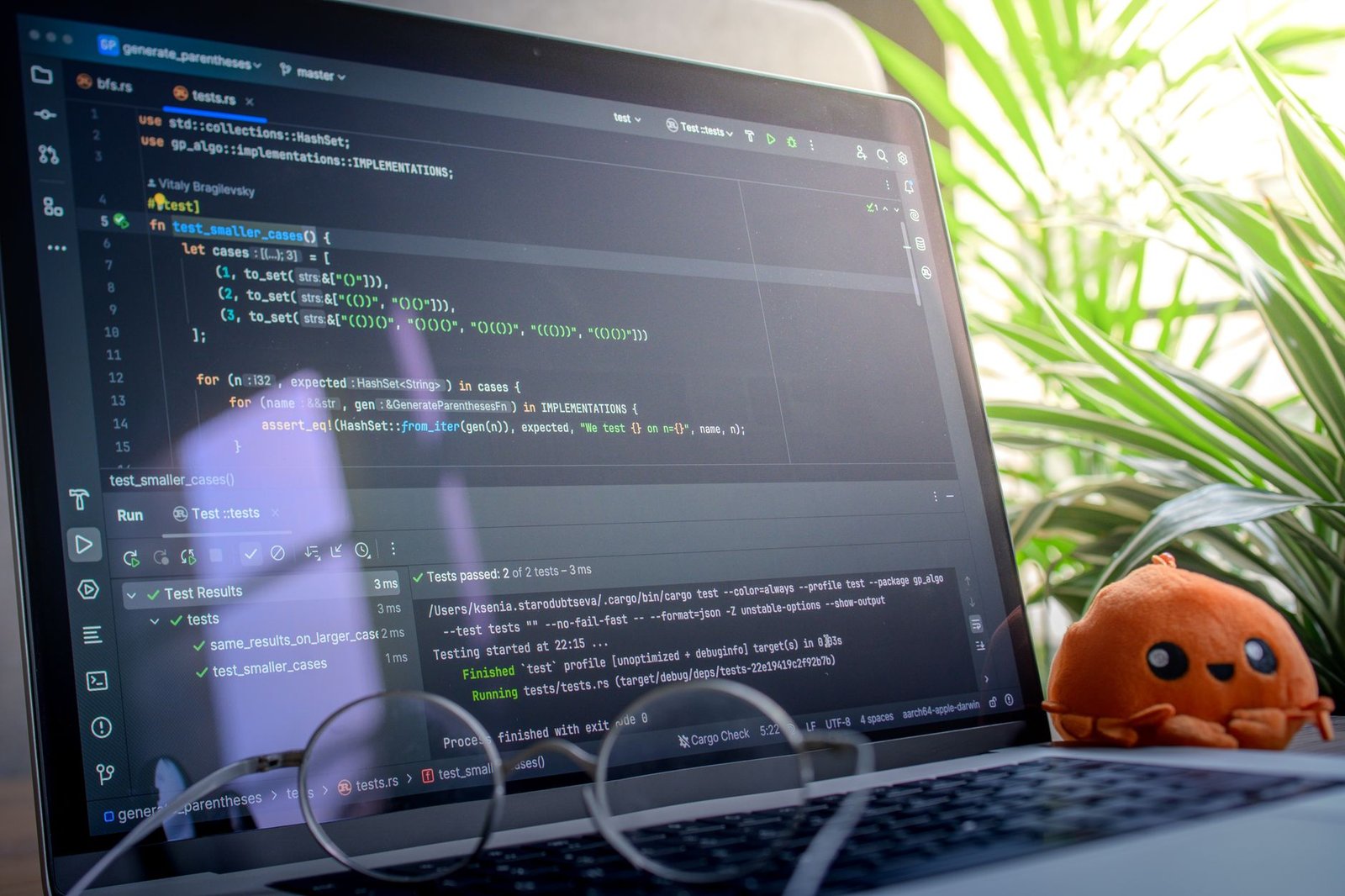
Manual software testing, while essential, presents significant hurdles for development teams striving for rapid iteration. The sheer volume of test cases, the potential for human error, and the time commitment required often lead to bottlenecks, delaying releases and impacting overall product quality. Developers frequently face challenges in ensuring comprehensive test coverage and efficiently identifying regressions, especially in complex applications. This is where AI-powered solutions are making a substantial impact.
Automating Test Case Generation
Artificial intelligence excels at identifying patterns and generating logical sequences, making it a powerful ally in test case creation. AI algorithms can analyze codebases and requirements to automatically generate relevant test cases, drastically reducing the manual effort involved. Tools like Diffblue Cover are designed to write unit tests for Java applications automatically, helping teams achieve higher test coverage without extensive manual input. These AI tools can adapt as the code evolves, ensuring tests remain relevant.
Enhancing Test Coverage and Efficiency
Leveraging AI in your testing workflow can lead to significant improvements in both test coverage and execution time. AI-driven testing platforms can intelligently prioritize test cases, focus on high-risk areas, and even predict potential defects before they occur. This proactive approach allows development teams to allocate resources more effectively and catch bugs earlier in the development cycle. For instance, platforms like Applitools offer AI-powered visual testing capabilities that go beyond simple pixel comparisons.
These advanced tools can understand UI elements and identify meaningful changes, reducing false positives and ensuring a consistent user experience. Here are some key benefits AI brings to QA:
- Automatic generation of unit and integration tests.
- Intelligent test case prioritization based on risk and code changes.
- AI-powered visual regression testing to detect unintended UI changes.
- Faster identification of software defects and regressions.
- Improved overall software quality and reliability.
- Reduced manual effort and testing costs.
By integrating these AI tools for developers, teams can overcome the limitations of traditional testing methods, leading to more robust software and faster delivery cycles in 2026 and beyond.
Leveraging AI for Project Management and Collaboration
AI is rapidly transforming how development teams manage projects, moving beyond simple task tracking to predictive insights and automated workflows. By analyzing historical data and current progress, AI can optimize project timelines and resource allocation, ensuring that projects stay on track and within budget. This proactive approach helps development managers anticipate bottlenecks and reallocate resources efficiently, maximizing team output.
Predicting and Mitigating Risks
One of the most significant contributions of AI to project management is its ability to predict potential risks and delays. Tools are emerging that analyze code commit frequency, bug reports, and team velocity to forecast the likelihood of a sprint slipping or a critical feature being delayed. For instance, predictive analytics integrated into platforms like Jira’s upcoming AI modules (expected 2026, beta pricing $15/user/month) can flag tasks with a high probability of delay, allowing project managers to intervene early.
Beyond risk prediction, AI enhances team communication and task management. AI-powered insights can identify communication patterns, highlight potential knowledge gaps within the team, and even suggest optimal pairings for collaborative tasks. Platforms such as Asana are incorporating AI to summarize long discussion threads and provide actionable summaries, reducing information overload. This ensures that team members are always aligned and focusing on the most critical objectives.
- Automated Reporting: AI can automatically generate daily or weekly status reports by aggregating data from version control systems, task boards, and communication logs.
- Documentation Generation: Tools can assist in drafting release notes or API documentation based on code changes and commit messages, saving valuable developer time.
- Intelligent Task Assignment: AI can suggest the best developer for a task based on their skillset, current workload, and past performance, optimizing resource utilization.
Embracing these AI tools for project management allows development teams to focus more on coding and innovation, leaving the complexities of scheduling, risk assessment, and reporting to intelligent automation. The strategic advantage gained from using these AI tools for developers is clear: faster delivery cycles, higher quality code, and more satisfied development teams.
Exploring Emerging AI Tools for Developers
The AI landscape is constantly shifting, with new tools and capabilities appearing regularly. Beyond the established productivity boosters, a wave of innovative AI solutions is on the horizon, promising to reshape development workflows. These emerging technologies are not just incremental improvements; they represent significant advancements in how we build, test, and maintain software. Keep an eye on advancements in AI-powered code generation that move beyond boilerplate to complex architectural suggestions, and intelligent debugging assistants that can pinpoint root causes in distributed systems with unprecedented accuracy.
The influence of AI is particularly potent in the low-code/no-code space. Tools like Microsoft’s Power Platform are increasingly integrating generative AI features, allowing users to describe desired application logic in natural language, which the AI then translates into functional components. This democratization of development means that citizen developers can build sophisticated applications faster, freeing up professional developers to focus on more complex, custom integrations and core system logic. Expect AI-driven UI/UX design suggestions and automated testing suites tailored for low-code environments to become standard by 2026.
Optimizing Infrastructure and Data with AI
AI’s impact extends to the operational side of development, especially in cloud infrastructure management. Emerging AI tools are being developed to proactively optimize resource allocation, predict potential bottlenecks, and automate scaling in complex cloud environments. For instance, imagine an AI that analyzes traffic patterns and code deployment schedules to dynamically adjust Kubernetes cluster sizes, minimizing costs while ensuring peak performance. This intelligent automation reduces manual oversight and human error, crucial for maintaining reliable, high-availability systems. Furthermore, generative AI is becoming instrumental in creating realistic synthetic data for training machine learning models. This is especially valuable in sectors with privacy concerns, like healthcare and finance, where access to real-world training data can be restricted.
“By 2026, we anticipate AI-driven predictive maintenance will become a standard practice, reducing unexpected downtime for critical software systems by as much as 40% through early anomaly detection in logs and performance metrics.” – Dr. Evelyn Reed, Lead AI Researcher, QuantuMind Labs
Predictive maintenance for software systems is another frontier. AI algorithms can sift through vast amounts of telemetry data – logs, performance metrics, error reports – to identify subtle patterns that precede system failures. Tools leveraging machine learning will soon offer granular insights, flagging potential issues before they impact users. This proactive approach shifts maintenance from a reactive scramble to a planned, preventative strategy, significantly enhancing system reliability and user satisfaction for AI tools for developers.
Choosing the Right AI Tools for Your Development Stack
Selecting the ideal AI tools for developers requires a clear, data-driven assessment of your engineering organization’s specific pain points. Before committing to multi-year enterprise contracts, audit your software delivery lifecycle to identify exact operational bottlenecks, such as repetitive boilerplate generation, sluggish pull request reviews, or outdated API documentation.
Key Evaluation Factors: Integration, Cost, and Security
When comparing modern platforms like GitHub Copilot Enterprise ($39 per user/month) or JetBrains AI Assistant ($10 per user/month), evaluate how effortlessly each service embeds into your team’s existing workflow. High developer adoption rates depend on minimizing daily friction and reducing context switching during core engineering tasks.
- Ecosystem Integration: Prioritize native extensions for environments like VS Code 1.98, Neovim, or IntelliJ IDEA 2026.1 to maintain flow state.
- Cost Structure: Weigh seat-based licensing against pay-per-token API consumption to accurately forecast annual operational expenses.
- Data Security: Ensure strict zero-data-retention policies and enterprise SOC 2 Type II compliance to keep proprietary code safe.
- Learning Curve: Select platforms offering interactive inline edits and natural language command palettes for fast team onboarding.
Piloting and Quantifying Productivity Gains
To mitigate implementation risk, initiate a controlled four-week pilot project with a dedicated squad of 6 to 10 engineers. Equip this test team with targeted AI tools for developers to establish baseline benchmarks for pull request throughput, code coverage, and bug resolution times.
Evaluate ROI by measuring efficiency improvements against license overhead over a ninety-day evaluation window. Engineering teams leveraging advanced LLM backends like Claude 3.7 Sonnet regularly report up to a 30% reduction in feature lead time when paired with clear prompt engineering guidelines.
Sustain these productivity gains by curating shared prompt repositories and hosting bi-weekly technical workshops. Customizing AI assistance to fit your internal coding style guides guarantees long-term code quality, security compliance, and team-wide engagement.
The Future Impact of AI Tools on Developer Roles
Integrated AI tools for developers like GitHub Copilot Enterprise ($39/user/month) and Cursor IDE are not eliminating software engineering positions; instead, they operate as powerful force multipliers. With performance on benchmarks like SWE-bench Verified surpassing 80%, autonomous assistants handle routine boilerplate, unit test generation, and pull request documentation. Consequently, engineers are moving away from manual syntax writing and moving toward high-level system architecture and domain-specific logic.
Evolving Skillsets and Productivity Metrics
The definition of a developer’s output has fundamentally changed in 2026. Measuring team performance by raw commit volume or lines of code written per day is obsolete when tools powered by Claude 3.5 Sonnet can generate hundreds of clean lines in seconds. Instead, engineering leadership evaluates developers on strategic problem-solving, system design resilience, and product impact.
To excel in this environment, technical professionals must master several emerging competencies:
- Context Engineering: Structuring repository metadata and retrieval-augmented generation (RAG) pipelines so LLMs deliver precise, zero-shot code updates.
- AI Code Auditing: Reviewing synthetic outputs for subtle logic flaws, edge-case failures, and OWASP Top 10 security vulnerabilities before deployment.
- Token Cost Management: Optimizing API calls across model tiers—such as routing light refactoring to lightweight models ($0.50/M tokens) while reserving frontier models ($15/M tokens) for complex architecture.
Ethics and Responsible AI Integration
As development speed accelerates, maintaining code safety and legal compliance becomes a primary engineering responsibility. Organizations using enterprise AI tools for developers must enforce strict telemetry opt-outs and data loss prevention (DLP) controls to guard against intellectual property exposure. Relying blindly on synthetic code without rigorous testing risks introducing hidden technical debt into production environments.
Ultimately, responsible AI adoption ensures that speed gains do not compromise software supply chain integrity. Software engineers who pair human creativity and critical thinking with AI orchestration will lead the next decade of technology innovation.
Frequently Asked Questions
What are the main benefits of using AI tools for developers?
AI tools for developers offer several key benefits, including significantly increased coding speed through auto-completion and code generation, improved code quality by identifying bugs and vulnerabilities early, automation of repetitive tasks like testing and debugging, and enhanced project management through predictive analytics and resource optimization. Ultimately, they allow developers to focus more on creative problem-solving and innovation.
Will AI replace human developers?
It’s highly unlikely that AI will completely replace human developers. Instead, AI is expected to augment developers’ capabilities, automating routine tasks and providing intelligent assistance. This shift will allow developers to focus on more complex, creative, and strategic aspects of software engineering, such as system design, architecture, and user experience. The role of the developer will likely evolve rather than disappear.
How can I choose the right AI tool for my project?
Selecting the right AI tool involves assessing your project’s specific needs, such as the programming languages used, the development environment (IDE), and the primary challenges you aim to solve (e.g., debugging, testing, code generation). Consider factors like integration capabilities, cost, the tool’s learning curve, and its effectiveness based on reviews and case studies. It’s often best to start with a pilot project or trial period.
Are AI coding assistants worth the cost?
For many development teams, AI coding assistants like GitHub Copilot or Tabnine offer a strong return on investment by substantially reducing the time spent on writing boilerplate code, finding errors, and completing common programming patterns. The productivity gains often outweigh the subscription costs, especially for complex projects or teams working under tight deadlines. However, the value can vary based on the team’s specific workflow and coding habits.
What are the ethical considerations when using AI in development?
Ethical considerations include potential biases in AI-generated code, data privacy issues when AI tools access code repositories, and the transparency of AI decision-making processes. Ensuring responsible AI development also involves considering the impact on job roles and the need for human oversight to catch errors or unintended consequences. Developers must be mindful of intellectual property rights and potential security vulnerabilities introduced by AI.
How do AI tools help with code testing and quality assurance?
AI tools can automate the generation of comprehensive test cases, including unit tests and integration tests, thereby improving test coverage and reducing manual effort. They can also perform intelligent analysis of code to predict potential defects and vulnerabilities before they reach production. AI assists in visual regression testing by identifying UI discrepancies and ensures adherence to coding standards, leading to higher overall software quality.
Final Thoughts
The integration of AI tools into the developer workflow is rapidly transforming the software development lifecycle. From intelligent code completion and automated debugging to AI-powered testing and project management, these solutions offer unprecedented opportunities to boost productivity, improve code quality, and accelerate innovation. As we look towards 2026 and beyond, developers who embrace these AI advancements will be best positioned to tackle complex challenges and deliver exceptional software. Staying informed about the latest AI tools and best practices is crucial for maintaining a competitive edge.
Ready to supercharge your development process? Start by evaluating one of the AI coding assistants mentioned, like GitHub Copilot or Tabnine, and experience the immediate impact on your daily coding tasks.
