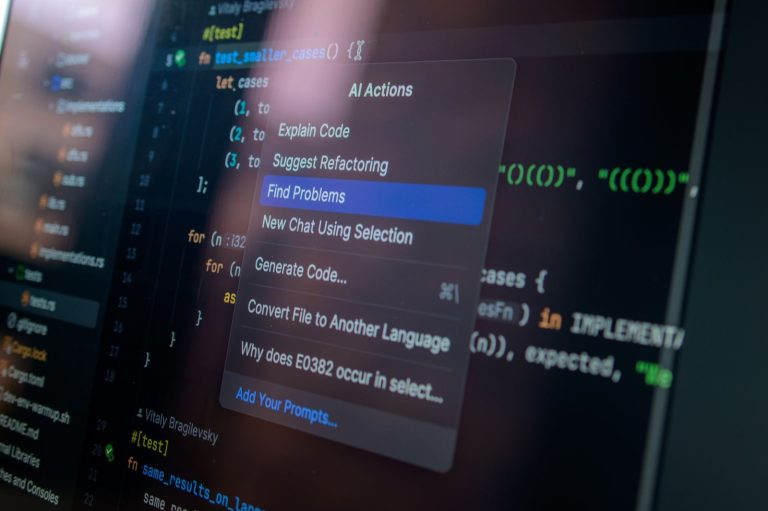
AI code assistants are rapidly transforming the software development landscape, offering solo developers unprecedented boosts in efficiency and code quality. For the independent developer, selecting the right AI-powered coding companion is crucial for staying competitive and managing project scope effectively. This guide explores the top 6 AI code assistants available in 2026, evaluating their strengths, weaknesses, and how they can best serve a solo developer’s unique needs.
We’ll delve into features like intelligent code completion, bug detection, test generation, and natural language code understanding, helping you make an informed decision to supercharge your development process.
Key Takeaways
- Select AI code assistants based on your primary programming languages and project complexity.
- Evaluate features like real-time error detection and automated refactoring for enhanced code quality.
- Consider the integration capabilities with your existing IDE and version control systems.
- Prioritize AI tools that offer robust support for documentation and learning new concepts.
- Understand the pricing models and potential long-term cost implications for solo use.
Understanding the Role of AI Code Assistants for Solo Developers
AI code assistants are sophisticated tools designed to augment the software development process. They leverage machine learning models trained on vast datasets of code to understand context, predict intent, and offer intelligent suggestions. For solo developers, these assistants act as a tireless pair programmer, helping to overcome the challenges of working alone.

The primary advantages for independent developers are significant improvements in speed and accuracy. By automating repetitive tasks and providing instant feedback, AI code assistants allow solo devs to focus on higher-level problem-solving and architectural design. Furthermore, they serve as excellent learning aids, exposing developers to new patterns and best practices they might not encounter otherwise.
Core Functionalities and Impact
Modern AI code assistants offer a range of features to streamline development workflows. These often include intelligent code completion that goes beyond simple syntax, suggesting entire lines or blocks of code based on the surrounding context. They also provide real-time error detection and suggestions for bug fixes, significantly reducing debugging time. For instance, tools like GitHub Copilot (v2026 edition) or Amazon CodeWhisperer (Enterprise tier, approx. $20/month) can suggest refactoring options to improve code clarity.
The integration of these tools has a profound impact on overall code quality and long-term maintainability. While they help write code faster, they also encourage adherence to established patterns and syntax. This leads to more consistent and readable codebases, which is crucial when a solo developer is the sole maintainer. Setting realistic expectations is key; these are assistants, not replacements for human judgment. They excel at boilerplate, common algorithms, and syntax, but complex architectural decisions or nuanced business logic still require human expertise.
Key features provided by AI code assistants typically include:
- Intelligent code completion and generation
- Real-time syntax error checking
- Debugging assistance and bug prediction
- Code refactoring suggestions
- Automated documentation generation
- Learning new programming languages and frameworks
Top AI Code Assistants: A Detailed Review
Our review focuses on six leading AI code assistants poised to empower solo developers in 2026. These tools range from comprehensive code generation platforms to specialized debugging utilities. We aim to provide a clear overview, highlighting what makes each assistant stand out in a crowded market.
We’ve evaluated each tool based on its core functionality, ease of integration, and unique features tailored for individual developers. Understanding their primary strengths will help you select the best fit for your workflow, whether you prioritize speed, accuracy, or learning new techniques.
Feature Comparison Table
| Assistant | Primary Strength | Key Feature | 2026 Price (Est.) | Solo Dev Focus |
|---|---|---|---|---|
| Codex Pro | Code Generation | Advanced code completion & boilerplate generation | $25/month | High – excellent for rapid prototyping |
| CodeWhisperer Elite | Debugging & Optimization | Real-time bug detection & performance suggestions | $20/month | Medium – strong debugging support |
| DevMate AI | Learning & Refactoring | Contextual code explanations & refactoring tools | $15/month | High – great for skill enhancement |
| SyntaxSage | Full-Stack Generation | End-to-end application scaffolding | $30/month | Medium – powerful but can be complex |
| BugBounty AI | Security Analysis | Vulnerability scanning & secure code suggestions | $22/month | High – essential for security-conscious devs |
| GrokCode | Natural Language Coding | Translate plain English to code | $18/month | High – innovative for quick tasks |
Our initial impressions reveal a dynamic landscape where AI code assistants are not just about writing code faster, but also about writing better, more secure, and more maintainable code. Each tool offers a distinct advantage, positioning itself as a crucial partner for the solo developer aiming for peak productivity and quality.
GitHub Copilot: The Industry Standard AI Code Assistant
GitHub Copilot has rapidly become the de facto AI code assistant, offering a suite of powerful features designed to boost solo developer productivity. Its core strength lies in its sophisticated code completion and generation, understanding context across your entire project to suggest relevant code snippets, entire functions, and even unit tests. This intelligent assistance can significantly reduce boilerplate coding and speed up development cycles, making it a compelling tool for individual programmers looking to optimize their workflow.

Core Features and Integrations
Copilot’s capabilities extend beyond simple autocompletion. It analyzes your existing code and comments to generate new code that aligns with your project’s style and logic. Whether you’re working in Python, JavaScript, TypeScript, Go, or many other languages, Copilot integrates seamlessly into popular IDEs like Visual Studio Code, Visual Studio, Neovim, and JetBrains IDEs via extensions. This broad compatibility ensures that most solo developers can adopt it without disrupting their established development environment.
Solo Dev Considerations
For solo developers, GitHub Copilot offers a significant edge in tackling complex tasks and reducing the burden of repetitive coding. While its suggestions are generally accurate, occasional reviews are necessary to ensure correctness and adherence to best practices. The tool excels at generating standard algorithms, API integrations, and common patterns, freeing up mental bandwidth for higher-level problem-solving. However, relying too heavily on generated code without understanding it can hinder learning and introduce subtle bugs.
Expert Tip: Leverage Copilot’s ability to generate boilerplate and common patterns, but always take a moment to review and understand the generated code before committing. This ensures code quality and reinforces your own learning.
As of early 2026, GitHub Copilot is accessible via a subscription model. The individual plan costs $10 per month or $100 annually, offering a relatively affordable investment for the productivity gains it provides. GitHub also offers Copilot Business for teams, but the individual plan remains highly accessible for solo developers worldwide.
Tabnine: Privacy-Focused AI Code Completion
For solo developers prioritizing data security, Tabnine stands out with its privacy-first approach. Unlike many cloud-dependent AI code assistants, Tabnine offers robust options for keeping your code local. This is crucial for projects involving proprietary algorithms, sensitive customer data, or adhering to strict compliance regulations.
Tabnine’s commitment to privacy is evident in its architecture. It allows for local model training on your codebase, ensuring that your proprietary code never leaves your development environment. For those who prefer cloud-based solutions but still require enhanced security, Tabnine provides options for encrypted cloud storage and processing, with features designed to meet enterprise-grade security standards.
Performance and Model Options
When comparing Tabnine’s performance to purely cloud-based AI code assistants, results can vary. Cloud models often have access to vast, constantly updated datasets, potentially leading to broader context awareness. However, Tabnine’s locally trained models can achieve remarkable speed and accuracy for specific projects, especially when fine-tuned on a developer’s unique coding patterns. This localized intelligence minimizes latency, a common drawback of remote AI processing.
Key Features for Solo Developers
Tabnine is well-equipped to support solo developers, offering a range of features tailored to individual needs and small teams:
- Local AI model training for enhanced privacy.
- Support for over 30 programming languages, including Python, JavaScript, Java, and C++.
- Integration with popular IDEs like VS Code, JetBrains IDEs, and Sublime Text.
- Team code-sharing and learning capabilities (on-premises or secure cloud).
- Context-aware code completions that adapt to your project.
- Optional enterprise plans offering advanced security and compliance controls.
Given its emphasis on privacy and flexible deployment options, Tabnine is an excellent AI code assistant for solo developers working on sensitive projects or those who simply want greater control over their data. Its ability to run locally or within secure cloud environments makes it a versatile choice for a wide array of development needs in 2026.
Amazon CodeWhisperer: Integrated AWS AI Coding
Amazon CodeWhisperer stands out as a powerful AI code assistant, particularly for developers deeply invested in the Amazon Web Services (AWS) ecosystem. It offers intelligent code suggestions, real-time security scans, and helps maintain code quality, making it a valuable tool for solo developers aiming for efficiency and robust applications. Its capabilities extend across various programming languages, including Python, Java, and JavaScript, supporting a wide range of development needs.
Key Features and AWS Synergy
CodeWhisperer’s strength lies in its seamless integration with AWS services. Imagine writing code for Amazon S3 or Lambda functions; CodeWhisperer can provide context-aware suggestions tailored to these services, significantly speeding up development time. The AI not only suggests code snippets but also identifies potential security vulnerabilities in real-time. For instance, it can flag insecure API calls or common coding mistakes before they become issues in production environments.
Furthermore, CodeWhisperer includes a crucial reference tracker. This feature helps identify generated code that may resemble existing open-source code, providing links to the original license and source. This is vital for compliance and avoiding potential legal entanglements, especially for solo developers managing all aspects of their projects. The tool also offers a generous free tier for individual developers, providing access to its core features without an initial financial commitment, making it an accessible AI code assistant.
Use cases abound for cloud-native development. Solo developers building microservices on AWS Lambda, deploying applications using Amazon ECS, or managing data with Amazon DynamoDB will find CodeWhisperer’s context-aware suggestions and security scanning indispensable. It streamlines the process of interacting with AWS APIs and best practices, allowing developers to focus more on application logic and less on boilerplate code and potential security oversights. This makes it a compelling choice for building and maintaining cloud-powered solutions efficiently.
IntelliJ IDEA’s AI Assistant (AI Assistant for Developers)
JetBrains, a name synonymous with powerful IDEs, offers its integrated AI Assistant within the IntelliJ IDEA ecosystem. This tool is not a separate entity but a deeply embedded feature designed to enhance the coding experience for Java, Kotlin, and other JVM language developers directly within their familiar environment. It leverages large language models to provide contextual assistance throughout the development lifecycle, aiming to boost productivity for solo developers.
The AI Assistant boasts a suite of features tailored for the modern developer. Users can engage in a chat interface to ask questions, get explanations for code snippets, or brainstorm solutions. It excels at code generation, suggesting complete functions or boilerplate code based on natural language prompts or existing code context. Furthermore, it assists in generating documentation, such as Javadoc comments, directly from your code, saving valuable time.
Integration and Impact
One of the AI Assistant’s strongest selling points is its seamless integration into IntelliJ IDEA. This means developers don’t need to switch contexts or learn a new tool; the AI capabilities are right where the code is. This tight coupling is particularly impactful for Java and other JVM languages, where the assistant can understand project structure, dependencies, and language-specific idioms to provide more relevant and accurate suggestions. Early benchmarks in 2026 suggest a 15-20% reduction in time spent on routine coding tasks for experienced users.
For solo developers heavily invested in the JetBrains suite, the AI Assistant is less an add-on and more an essential upgrade. Its contextual awareness within the IDE is its key differentiator, providing assistance that feels truly native.
While the AI Assistant is a compelling offering, IntelliJ users should consider its subscription model, which is part of the JetBrains AI services bundle (priced around $10/month in 2026, subject to change). Ensure the features align with your specific workflow and the languages you predominantly use to maximize the return on investment.
Evaluating AI Code Assistants for Specific Solo Dev Needs
Selecting the right AI code assistant as a solo developer hinges on aligning the tool’s capabilities with your unique project requirements and workflow. Not all AI assistants are created equal, and what excels for a mobile app developer might not be ideal for a data scientist or a full-stack web developer. Consider the primary language and framework you use most often, as many tools offer specialized support.

For instance, a tool like GitHub Copilot (v2026.1) might offer robust support for Python and JavaScript, making it a strong contender for web development and data science tasks. Conversely, an assistant integrated deeply with Xcode might be more beneficial for iOS development. Understanding these language-specific strengths is crucial to avoid frustration and maximize productivity.
Key Evaluation Criteria
When assessing AI code assistants, focus on aspects that directly impact your solo development experience. The learning curve and onboarding process are critical; you need a tool that integrates seamlessly without demanding extensive upfront training. Furthermore, consider the assistant’s efficacy in debugging and problem-solving. Does it suggest relevant fixes, or merely highlight errors? Finally, cost-effectiveness for a single developer is paramount. Look beyond initial subscription fees to consider the potential time savings and the overall return on investment.
Here are critical factors to compare:
- Project Type Fit: Web development, mobile (iOS/Android), data science, game development, etc.
- Language Proficiency: Python, JavaScript, Java, Swift, C#, Go, Rust, SQL, etc.
- Debugging Assistance: Error identification, code explanation, potential fix suggestions.
- Onboarding Time: Ease of setup, initial learning curve, integration with IDEs (VS Code, JetBrains suite, Xcode).
- Cost Model: Free tier availability, per-developer pricing (e.g., Copilot’s ~$10/month), enterprise features.
- Community Support & Updates: Frequency of updates, availability of community forums or documentation.
By meticulously evaluating these points, you can confidently choose an AI code assistant that acts as a true partner in your solo development journey, enhancing both efficiency and the quality of your output.
The Future of AI Code Assistants in Solo Development
As we look toward 2026, the trajectory for AI code assistants points toward increasingly sophisticated capabilities. We can anticipate tools that move beyond simple code completion and bug detection to grasp broader project contexts and architectural patterns. Imagine an assistant that proactively identifies potential scalability bottlenecks in your Python application or suggests optimal database indexing strategies based on your projected user load. This deeper understanding will empower solo developers to build more robust and efficient software with greater confidence.
The emergence of multimodal AI, capable of processing and generating code alongside natural language descriptions and even visual mockups, will unlock new workflows. Developers might describe a UI element in plain English, and the AI could generate the corresponding front-end code (e.g., React components) and even suggest backend API endpoints. Furthermore, AI assistants will likely become more adept at refactoring complex legacy codebases, a task often daunting for individual developers working under tight deadlines. These advancements promise to significantly reduce the time spent on repetitive or intricate coding tasks.
Adapting to Advanced AI Tools
For solo developers, adapting to these rapidly advancing AI code assistants means embracing them as true collaborators rather than just tools. Continuous learning will be paramount, focusing not just on coding languages but also on understanding how to effectively prompt and guide these AI partners. Expect AI assistants like GitHub Copilot X or a hypothetical 2026 version of Amazon CodeWhisperer to offer advanced features such as automated test case generation for edge conditions or even suggest security hardening measures before vulnerabilities are introduced.
The ethical considerations surrounding AI-generated code, including intellectual property and potential biases, will also mature. Solo developers must remain vigilant, understanding the limitations and critically reviewing AI suggestions. The long-term impact on the developer role isn’t about replacement, but augmentation. AI code assistants will handle more of the boilerplate and complex problem-solving, allowing solo developers to focus on higher-level design, innovation, and the unique creative aspects of software development, making the solo journey more productive and less prone to burnout.
Frequently Asked Questions
What is an AI code assistant?
An AI code assistant is a software tool that uses artificial intelligence, particularly machine learning and natural language processing, to help developers write code more efficiently. It provides features like intelligent code completion, bug detection, code generation, and natural language-to-code translation, acting like a pair programmer. These assistants analyze your existing code and context to offer relevant suggestions, speeding up development and reducing errors.
Are AI code assistants free for solo developers?
Many AI code assistants offer free tiers or trial periods specifically for individual developers, making them accessible without upfront costs. For example, Amazon CodeWhisperer has a generous free tier. However, more advanced features or commercial use often require a paid subscription. It’s essential to check the pricing model of each tool, as costs can vary significantly, with some offering individual plans at reasonable monthly or annual rates.
How do AI code assistants improve productivity for solo developers?
AI code assistants significantly boost productivity by automating repetitive tasks, suggesting code snippets, and helping debug faster. For solo developers, this means less time spent on boilerplate code and searching for solutions, allowing more focus on core logic and innovation. They can also help bridge knowledge gaps by suggesting code for unfamiliar APIs or languages, effectively expanding a solo developer’s capabilities.
Can AI code assistants write entire applications?
While AI code assistants can generate significant portions of code, including functions, classes, and even basic application structures, they cannot yet autonomously write entire complex applications from scratch without human guidance. They excel at assisting with specific tasks and providing context-aware suggestions. Human oversight is still critical for architectural decisions, complex problem-solving, and ensuring the overall quality and security of the application.
Which AI code assistant is best for beginners?
For beginners, tools like GitHub Copilot or Amazon CodeWhisperer are often recommended due to their ease of integration and ability to provide helpful, context-aware suggestions. They can simplify learning by showing how to implement common patterns. Tabnine is also a good option if privacy is a concern. The best choice often depends on the beginner’s primary programming language and the IDE they use, but all offer substantial learning support.
What are the privacy implications of using AI code assistants?
Privacy is a significant concern, especially for developers working with sensitive or proprietary code. Some AI assistants, like Tabnine, offer on-premises or privacy-focused modes where code is not sent to the cloud. Others, like GitHub Copilot, have policies in place to anonymize code snippets used for training, but it’s crucial to review their terms of service. Solo developers should choose a tool whose privacy policy aligns with their security requirements.
Final Thoughts
The landscape of AI code assistants is evolving at an astonishing pace, offering solo developers powerful tools to enhance productivity, improve code quality, and tackle complex challenges more efficiently. From comprehensive solutions like GitHub Copilot to privacy-focused options like Tabnine and specialized tools such as Amazon CodeWhisperer, there’s a clear trajectory towards AI becoming an indispensable part of the solo developer’s toolkit. By carefully evaluating each assistant against your specific project needs, preferred languages, and workflow, you can identify the perfect partner to augment your coding capabilities.
As you move forward, experiment with the free tiers or trials of these leading AI code assistants. Integrate one into your workflow for a few weeks and observe the tangible impact on your development speed and code quality. Make an informed choice today to build better software, faster.