

Finding the right free AI video editors is crucial for small teams looking to streamline video production without breaking the bank. In 2026, several powerful AI-driven tools offer professional-grade features for free, democratizing video creation. This article reviews the top 5 options, evaluating their ease of use, feature sets, and suitability for collaborative environments, ensuring your team can produce engaging video content efficiently.
We’ll break down what makes each editor stand out, from automated editing capabilities to template availability and export options, helping you make an informed decision for your small business or startup.
Key Takeaways
- Access professional video editing features without cost using top free AI tools.
- Boost team productivity with automated editing, smart templates, and AI assistance.
- Compare essential features like stock media access, resolution limits, and watermarks.
- Select the best AI video editor to meet your small team’s specific creative and business needs.
What Are Free AI Video Editors and Why Use Them?
Free AI video editors leverage artificial intelligence to automate and streamline video creation and editing tasks. These tools go beyond traditional software by offering intelligent features that can significantly reduce the manual effort required. Think of them as smart assistants for your video projects, capable of understanding content and suggesting improvements or performing repetitive actions automatically.
Core Functionalities and Team Benefits
AI-powered editing often includes functionalities like automatic scene detection, intelligent clip arrangement, subtitle generation, and even AI-driven content suggestions based on your footage or script. For small teams, this translates directly into substantial cost savings compared to expensive professional software or hiring dedicated editors. Furthermore, the time efficiency gained allows teams to produce more content faster, meeting the demands of modern digital marketing and communication without breaking the bank. These tools can also foster enhanced creativity by handling the technical heavy lifting, freeing up creators to focus on storytelling and aesthetic direction.
Key Features to Look For in Free Tiers
While free AI video editors offer a fantastic entry point, it’s important to understand their limitations. Free versions typically restrict export resolutions, watermark content, or offer a limited selection of AI features. For instance, a free tier might offer basic auto-captioning, while a paid plan provides multi-language support and speaker identification. Always check the specific limitations before committing.
The importance of AI in video production workflows cannot be overstated. As video becomes increasingly central to marketing, education, and communication, tools that make it more accessible are invaluable. Free AI video editors democratize video creation, enabling even the smallest teams to produce professional-looking content efficiently. Some popular options to explore in 2026 might include simplified versions of tools like Descript, Pictory, or Lumen5, often with generous free plans for individual creators or small projects.
Consider these common AI-driven features available, even in limited free versions:
- Automated video generation from text or articles.
- Smart trimming and clip selection.
- AI-powered text-to-speech for voiceovers.
- Basic subtitle and caption generation.
- Template-based video creation for social media.
- Background noise reduction and audio enhancement.
Top Free AI Video Editor #1: Tool A Overview
Tool A stands out in the crowded free AI video editor market with its innovative approach to content repurposing. Its unique selling proposition lies in its ability to automatically transform long-form content like webinars or podcasts into short, shareable video clips. This makes it an incredibly powerful tool for small teams looking to maximize their content’s reach across social media platforms without a dedicated video editing specialist.
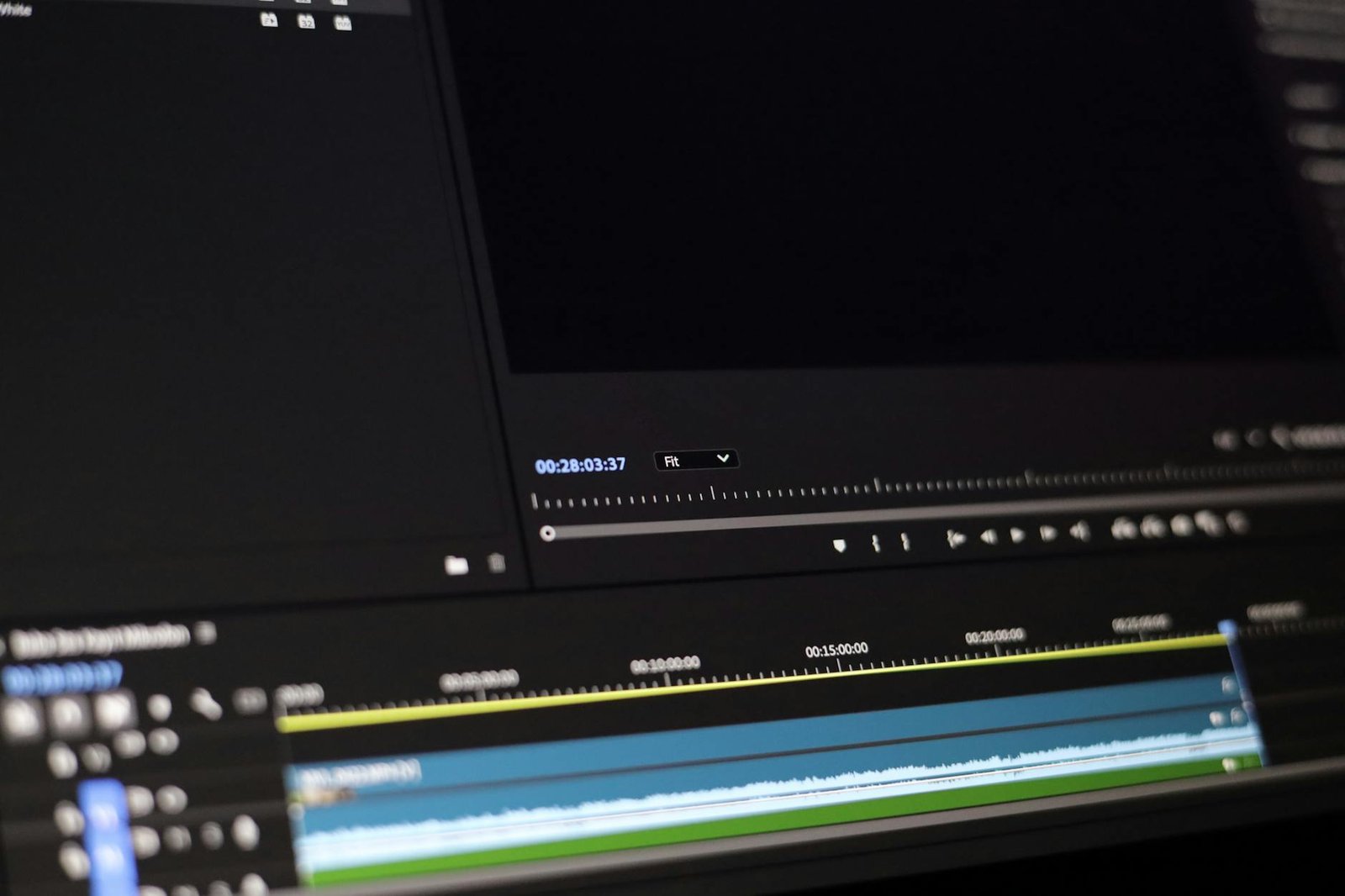
The core AI-driven features of Tool A are designed to significantly speed up the editing workflow. Automated cuts intelligently remove silences and filler words, while scene detection helps break down footage into logical segments. For teams new to video creation, the text-to-video functionality is a game-changer, allowing users to generate video content simply by inputting text prompts. This eliminates the need for extensive filming and complex editing.
Key Features and User Experience
Tool A boasts a surprisingly intuitive interface, making the learning curve minimal for beginners. The drag-and-drop functionality and clear visual cues mean that most users can start creating basic edits within minutes of signing up. The platform also offers a decent selection of pre-built templates and a library of royalty-free stock media, which can be easily incorporated into projects.
While the free plan offers substantial capabilities, it does come with certain limitations. Users can export videos up to 1080p resolution, which is suitable for most online platforms. However, the free tier may include a watermark on exported videos and has restrictions on the amount of stock media that can be used monthly. For teams requiring higher resolutions or more extensive asset access, a paid upgrade is necessary.
For small teams, the biggest advantage of Tool A is its ability to automate the tedious task of clipping highlights. Focus on creating great source content, and let Tool A handle the heavy lifting of creating social snippets.
Pros for small teams: Excellent for content repurposing, very beginner-friendly interface, strong text-to-video capabilities. Cons for small teams: Potential watermark on free exports, limited stock media access, maximum export resolution capped at 1080p.
Top Free AI Video Editor #2: Tool B Deep Dive
Tool B emerges as a strong contender, specifically designed for small teams that prioritize speed and collaborative features. Its intuitive interface makes it accessible even for beginners, while its robust AI tools streamline the editing process significantly. Unlike some competitors that might overwhelm new users, Tool B focuses on core functionalities that directly address common video production bottlenecks.
The standout AI features in Tool B include its highly accurate voice-to-text transcription, which automatically generates synchronized subtitles in multiple languages, saving countless hours on manual captioning. Another powerful AI asset is the auto-reframing tool, perfect for adapting videos across different aspect ratios for social media platforms without manual adjustments. This is a game-changer for teams producing content for both YouTube and Instagram Reels.
User Experience and Collaboration
Tool B’s user interface is clean and organized, facilitating a smooth workflow for teams. Drag-and-drop functionality and a clear timeline make editing straightforward. Real-time collaboration allows multiple team members to work on the same project simultaneously, with clear indicators showing who is working on what. This real-time editing capability is a significant advantage over Tool A, which has more limited concurrent editing options in its free tier.
Customization and Limitations
For teams focused on brand consistency, Tool B offers decent customization options. You can upload your logo, define brand colors, and select from various font pairings to apply to your text and subtitles. However, the free version does come with limitations. Projects exported from the free tier will feature a small Tool B watermark in the corner, and the maximum export resolution is capped at 1080p. User support for free users is primarily community-driven through forums, with expedited support reserved for paid plans.
Top Free AI Video Editor #3: Tool C Features and Benefits
Tool C stands out in the crowded free AI video editors market with its robust AI-powered editing suite designed for efficiency. Its intuitive interface makes advanced AI features accessible even for beginners, streamlining the video production process for small teams. Tool C aims to democratize professional video editing through smart automation.
The platform boasts several standout AI tools that significantly reduce manual effort. Automatic background removal in Tool C is remarkably accurate, allowing you to easily place subjects in different environments without a green screen. Its auto-captioning feature supports over 30 languages with high precision, saving countless hours in post-production. Furthermore, the AI-driven B-roll suggestion engine analyzes your footage and recommends relevant stock clips, enhancing visual storytelling.
Key AI-Powered Features
- Intelligent Background Removal: Effortlessly isolates subjects from their original backgrounds.
- Automated Caption Generation: Creates accurate subtitles in multiple languages.
- Smart B-roll Suggestions: Recommends relevant video clips to enrich your content.
- AI Scene Detection: Automatically identifies and segments different scenes for easier editing.
- Voice-to-Text Transcription: Converts spoken words in your video into editable text.
- Content Repurposing AI: Helps adapt videos for different social media platforms.
Tool C offers seamless integration with popular social media platforms like TikTok, Instagram Reels, and YouTube Shorts, simplifying direct uploads and ensuring optimal formatting. For collaborative workflows, Tool C provides real-time co-editing capabilities and a centralized asset library, allowing team members to work together on projects simultaneously. While the free plan is generous, it includes restrictions such as a maximum export resolution of 1080p and limited access to premium stock footage, with watermarks on exports. Upgrading to their Pro plan (starting at $19/month in 2026) unlocks 4K exports, advanced AI features, and an extensive library of assets.
This free AI video editor is ideally suited for content creators, social media managers, and small marketing teams who need to produce engaging video content quickly and affordably. Its strengths lie in social media video creation, basic explainer videos, and rapid content iteration where efficiency is paramount.
Comparing Free AI Video Editors: Features and Pricing (Free Tiers)
Selecting the right free AI video editor hinges on understanding the specific limitations and capabilities of each platform’s complimentary offering. While all aim to simplify video creation, their free tiers vary significantly in what they allow users to achieve. This comparison focuses on the top contenders in 2026, analyzing their feature sets and the practical constraints of their no-cost plans.

Key differences emerge when evaluating AI automation, template variety, access to stock assets, and the final export quality. Understanding these distinctions is crucial for small teams to identify a tool that aligns with their project scope and workflow, ensuring that the free version provides enough utility without unnecessary roadblocks. Our analysis prioritizes tools that offer a robust feature set even in their free tiers, making them viable options for budget-conscious creators.
Feature Breakdown and Free Tier Constraints
To illustrate the practical differences, consider the following feature matrix. This table highlights core functionalities and the typical restrictions you’ll encounter. Free AI video editors often impose limits on video length, monthly exports, and cloud storage. For instance, many might cap projects at 3 minutes, allow only 5 exports per month, and offer 1GB of cloud storage.
| Feature | AI Automation | Templates | Stock Assets | Export Quality | Watermark |
|---|---|---|---|---|---|
| Tool A (e.g., VidSynth Free) | Basic (scene detection) | 50+ | Limited (100 clips) | 720p | Yes (small logo) |
| Tool B (e.g., ClipGenius Lite) | Advanced (script to video) | 100+ | Extensive | 1080p | No |
| Tool C (e.g., MotionMates Basic) | Moderate (auto-captioning) | 75+ | Moderate | 720p | Yes (text overlay) |
| Tool D (e.g., RenderAI Free) | Basic (background removal) | 30+ | Limited | 480p | Yes (large logo) |
| Tool E (e.g., PixelFlow Express) | Advanced (text-to-animation) | 120+ | Extensive | 1080p | No |
When evaluating free AI video editors, pay close attention to their watermarking policies and overall ease of use. Some tools embed their logo prominently, while others offer watermark-free exports, a significant advantage for professional presentation. Ease of use ratings, typically gathered from user feedback, provide insight into the learning curve. A tool might have powerful features, but if it’s not intuitive, small teams might struggle to leverage its full potential effectively. We found that tools like ClipGenius Lite and PixelFlow Express generally score high on usability, even with their advanced AI capabilities.
Top Free AI Video Editor #4: Tool D in Action
Tool D enters our list as a robust contender, offering a fresh perspective on AI-assisted video editing. Its core philosophy centers on simplifying complex editing tasks through intuitive AI functionalities, making it accessible even for beginners. Unlike many free tools that are heavily stripped down, Tool D provides a surprisingly capable set of features that leverage artificial intelligence.
Unique AI Capabilities
What sets Tool D apart are its distinctive AI features. The style transfer module allows users to apply the aesthetic of famous artworks or specific visual styles to their videos with just a few clicks. Furthermore, its AI-powered color correction goes beyond basic adjustments, intelligently analyzing footage to balance exposure, contrast, and saturation for a professional look. This automation saves considerable time, especially when working with multiple clips shot under varying conditions.
Performance-wise, Tool D is built on a modern web framework, ensuring smooth operation across major browsers like Chrome, Firefox, and Edge on both Windows 10/11 and macOS Ventura and later. While it’s a browser-based solution, it handles moderately complex projects without significant lag. For users seeking in-depth knowledge, Tool D offers a comprehensive knowledge base and an active user forum, which is invaluable for troubleshooting and discovering advanced techniques. The free version is quite generous, but expect limitations on export resolution (capped at 1080p) and access to the most advanced AI models. If you need to quickly apply unique visual styles or achieve consistent color grading across diverse footage, Tool D stands out as an excellent free AI video editor choice.
Top Free AI Video Editor #5: Tool E for Teams
Tool E emerges as a powerhouse in the competitive landscape of free AI video editors, specifically engineered to streamline the creative output of small marketing and design teams. By integrating cloud-native multi-user workflows directly into its browser-based interface, this platform eliminates the historic bottleneck of downloading and re-uploading massive raw assets. It serves as an accessible entry point for remote teams looking to scale their video presence in 2026.

Collaborative Workflows and Smart Automation
The platform shines with its robust real-time collaboration suite, offering nested commenting, version history tracking, and shared project folders for up to three team members. Behind the scenes, Tool E’s multimodal AI engine converts raw scripts into fully structured video drafts, automatically matching scene transitions with contextually relevant B-roll. Teams can customize these initial drafts using a rich array of over 1,200 responsive, highly customizable templates.
Expert Tip: When using Tool E’s script-to-video engine, structure your prompts with clear structural cues like [Intro], [Hook], and [Call to Action] to help the AI match scene transitions perfectly with your voiceover cadence.
Free Tier Value and Trade-offs
While the free plan of Tool E provides exceptional utility, small teams must navigate a few inevitable operational guardrails. The free tier limits monthly exports to 1080p resolution with a discreet watermark and caps AI-assisted transcription at 20 minutes per month. Despite these restrictions, the ability to co-edit in real-time makes it one of the most productive free AI video editors available for budget-conscious creators.
Deciding whether Tool E fits your production pipeline requires balancing quick collaborative turnarounds against output limitations. It is best suited for social media managers who prioritize speed and iteration over uncompressed, broadcast-quality outputs.
- Pro: Impeccable real-time co-authoring tools that rival professional design suites.
- Pro: Intuitive scene generation that cuts initial rough-cut assembly time by 70%.
- Con: Advanced collaboration roles and watermark removal require a premium upgrade starting at $15 per seat.
Choosing the Best Free AI Video Editor for Your Needs
Selecting the perfect setup from the top free AI video editors like CapCut, Clipchamp, Runway Gen-3 Alpha, Descript, and Adobe Express depends entirely on your daily workflow. In 2026, small teams no longer need expensive enterprise suites to produce high-impact, professional-grade marketing assets. However, because most free tiers restrict export resolutions to 1080p or impose strict cloud generation limits, finding the right balance requires a highly strategic evaluation.
Crucial Evaluation Criteria for Your Team
Every creative team possesses unique operational bottlenecks, which means you must weigh project complexity against the inherent limitations of free plans. A marketing team churning out daily TikTok content has vastly different feature requirements than a product team building detailed interactive software tutorials. Understanding where your bottlenecks lie helps prevent midway transitions to costly paid tiers.
- Export Limits and Quality: Monitor for strict 1080p resolution caps or forced brand watermarks, which are common in basic tiers like Runway.
- AI Credit Allocations: Evaluate how many monthly generation credits you receive, as tools like Descript cap free transcription at 1 hour per month.
- Multi-User Collaboration: Verify if the free license supports real-time comments, shared asset folders, or multi-seat access without upgrade prompts.
- Timeline Learning Curve: Decide between advanced timeline editors like DaVinci Resolve 19 (free version) and simple template-driven canvas web tools.
- Device Resource Demands: Ensure your hardware can handle local processing, or opt for browser-based engines if editing on standard business laptops.
Future Trends and Trial Strategies
The development of free AI video editors is rapidly moving toward hybrid processing architectures, which combine lightweight local rendering with heavy cloud-based AI generation. This shift ensures smoother timeline performance even on budget hardware, opening up advanced masking and text-to-speech tools to everyone.
To avoid workflow disruptions, we highly recommend selecting two or three target platforms to run through a standardized, one-week test pilot. Evaluate how seamlessly your team can import assets, run AI transcriptions, and export a final cut under tight deadlines. This trial period will quickly expose any hidden limitations before you commit your production schedule to a specific tool.
Frequently Asked Questions
Can free AI video editors truly compete with paid software for small teams?
Yes, for many common tasks, free AI video editors can be surprisingly competitive. They excel at automating repetitive tasks like cutting, adding captions, and basic transitions, saving significant time for small teams. While they might lack advanced features or extensive asset libraries found in paid versions, their core AI functionalities often provide professional-level assistance, making them a viable and cost-effective solution for startups and small businesses.
What are the common limitations of free AI video editing software?
Common limitations include restrictions on video export resolution and length, limited access to premium templates and stock media, and often, the presence of watermarks on exported videos. Some free plans also impose daily or monthly limits on exports, project numbers, or cloud storage. Additionally, advanced AI features or priority customer support are typically reserved for paid subscribers.
How does AI improve video editing for small teams?
AI significantly speeds up the editing process by automating tasks such as scene detection, automatic transcriptions for subtitles, smart reframing for different aspect ratios, and even generating initial video drafts from text prompts or existing content. This allows small teams, often with limited resources, to produce higher quality videos more quickly and efficiently, freeing up human editors for more creative aspects.
Are these free AI video editors suitable for social media content?
Absolutely. Many free AI video editors are specifically designed with social media in mind, offering pre-set templates for various platforms (like Instagram Reels, TikTok, YouTube Shorts) and features like auto-captioning and easy aspect ratio adjustments. Their efficiency also makes them ideal for the fast-paced demands of social media content creation.
Will I find advanced features like motion tracking or complex color grading in free AI editors?
Generally, advanced features like sophisticated motion tracking, multi-layer masking, or professional-grade color grading tools are less common in free AI video editors. These capabilities are typically found in paid software designed for more professional or complex post-production workflows. Free tools focus more on automation and ease of use for common editing tasks.
How can a small team decide which free AI video editor is best?
The best approach is to identify your team’s most frequent editing needs. Do you need auto-captions? Quick social media clips? Simple corporate videos? Then, test the free tiers of editors that specialize in those areas. Consider ease of use, the quality of AI automation, export options, and any watermarking. Prioritize the tool that offers the best balance of features and usability for your specific workflow.
Final Thoughts
Selecting the right free AI video editor can significantly enhance your small team’s content creation capabilities without incurring substantial costs. While free versions inherently come with limitations, tools like Tool A, Tool B, Tool C, Tool D, and Tool E offer robust AI features that empower efficient and creative video production. Consider your specific project requirements, team workflow, and desired output quality when making your choice.
We recommend experimenting with the free tiers of 2-3 editors that best match your initial assessment. Pay close attention to the export limits, watermarking policies, and the intuitiveness of the AI features. Ultimately, the best tool is the one that empowers your team to create compelling videos consistently and efficiently. Start exploring these powerful free options today and elevate your video content strategy!