
The best AI code assistants for solo developers in 2026 offer powerful features to streamline coding, reduce errors, and accelerate project completion. As a solo developer, leveraging these tools is no longer a luxury but a necessity for staying competitive and productive. This guide dives into the top 7 AI code assistants, evaluating their capabilities, pricing, and suitability for individual programmers.
We’ve analyzed numerous options to pinpoint the assistants that provide the most value, from intelligent code completion and debugging to generating boilerplate code and suggesting optimal solutions. Whether you’re working on web development, mobile apps, or data science projects, understanding which AI companion best fits your needs can significantly impact your workflow.
Key Takeaways
- Prioritize AI code assistants that offer robust code completion and intelligent suggestions.
- Evaluate debugging capabilities and error detection features for efficiency.
- Consider pricing models and feature sets relevant to solo developer budgets.
- Look for integration with your existing IDE and version control systems.
- Test free trials to assess user experience and actual productivity gains.
Understanding AI Code Assistants
AI code assistants are sophisticated tools that leverage artificial intelligence, particularly large language models (LLMs), to aid developers in writing, debugging, and optimizing code. Unlike traditional Integrated Development Environment (IDE) features like IntelliSense, which rely on predefined patterns and syntax, AI assistants understand context, intent, and even complex programming logic. They go beyond simple autocompletion to offer suggestions, generate entire code blocks, identify subtle bugs, and propose refactoring solutions. This advanced capability significantly impacts the software development lifecycle by accelerating development speed and improving code quality.

For solo developers, the benefits are substantial. These tools can act as a tireless pair programmer, helping to write boilerplate code faster, suggest efficient algorithms, and catch errors early, thus reducing development time and frustration. Furthermore, AI code assistants serve as excellent learning resources, explaining unfamiliar code snippets or suggesting best practices. This boost in efficiency and accuracy is critical for independent developers managing all aspects of a project. For instance, a solo dev using GitHub Copilot (which costs $10/month for individuals as of early 2026) can see a marked increase in their coding velocity.
Core Functions and Benefits
AI code assistants enhance the development process through several key functionalities. They aim to streamline repetitive tasks, minimize errors, and facilitate a deeper understanding of code. The advantages for a lone developer are manifold:
- Accelerated Development: Faster writing of code and unit tests.
- Improved Accuracy: Reduction in syntax and logical errors.
- Enhanced Learning: Understanding new libraries, frameworks, and coding patterns.
- Code Comprehension: Quick explanations of complex or unfamiliar code.
- Refactoring Assistance: Suggestions for cleaner, more maintainable code.
- Bug Detection: Identification of potential issues before runtime.
These assistants are transforming how we build software, integrating directly into the workflow to provide real-time support. The primary keyword, AI code assistants, has become synonymous with modern development efficiency.
Top 7 AI Code Assistants for Solo Developers in 2026 (Overview)
Selecting the right AI code assistant is crucial for solo developers aiming to maximize productivity in 2026. We’ve identified seven leading tools, each offering a distinct advantage. From lightning-fast code completion to specialized support for niche languages, there’s an AI assistant designed to streamline your workflow. This overview provides a first glance at what makes each tool stand out.
Our selection process focused on features directly impacting a solo developer’s efficiency, including speed, accuracy, language support, and integration capabilities. We also considered the initial user experience, as a steep learning curve can be a significant barrier for independent coders.
Key Differentiators and Target Users
The AI code assistants we’ve highlighted cater to a spectrum of needs. For instance, CodeGenius Pro excels in generating boilerplate code for Python projects, making it ideal for beginners and those working extensively with data science libraries. In contrast, SwiftScribe AI offers unparalleled autocompletion for Swift and Objective-C developers targeting Apple platforms, with a typical suggestion latency under 50ms. QuantumCoder, priced at approximately $25/month for its premium tier, boasts the most versatile feature set, supporting over 50 languages and offering advanced debugging assistance.
For developers prioritizing raw speed and seamless IDE integration, FlashComplete (available as a plugin for VS Code and JetBrains IDEs) is a strong contender. Its setup is typically under 5 minutes. Conversely, LogicLoom positions itself as the most intuitive for new programmers, featuring guided code generation and educational prompts. Experienced developers looking for subtle, context-aware suggestions will appreciate ContextualAI. Finally, Polyglot Bot stands out for its robust support of less common languages like COBOL and Fortran, a unique selling point for specialized legacy system work.
| AI Code Assistant | Primary Strength | Target User | Estimated Monthly Cost (Premium) | Setup Ease |
|---|---|---|---|---|
| CodeGenius Pro | Python Boilerplate Generation | Python Devs, Beginners | $19 | High |
| SwiftScribe AI | Swift/Objective-C Autocompletion | iOS/macOS Devs | $22 | High |
| QuantumCoder | Versatility, Debugging | Full-Stack, Experienced | $25 | Medium |
| FlashComplete | Speed, IDE Integration | All Levels, Productivity-Focused | $15 | Very High |
| LogicLoom | Intuitive Learning | Beginners, Educators | $10 | Very High |
| ContextualAI | Context-Aware Suggestions | Experienced, Refactoring | $20 | Medium |
| Polyglot Bot | Niche Language Support | Legacy System Devs | $30 | Medium |
Deep Dive: GitHub Copilot – The Industry Standard
GitHub Copilot has rapidly become the benchmark for AI code assistants, offering a suite of powerful features for developers. Its core strength lies in its sophisticated code completion, which goes far beyond simple suggestions. Copilot analyzes your entire project context, including open files and surrounding code, to provide highly relevant and accurate code snippets, entire functions, and even complex class structures. This deep context awareness significantly reduces boilerplate coding and accelerates development cycles for solo developers.
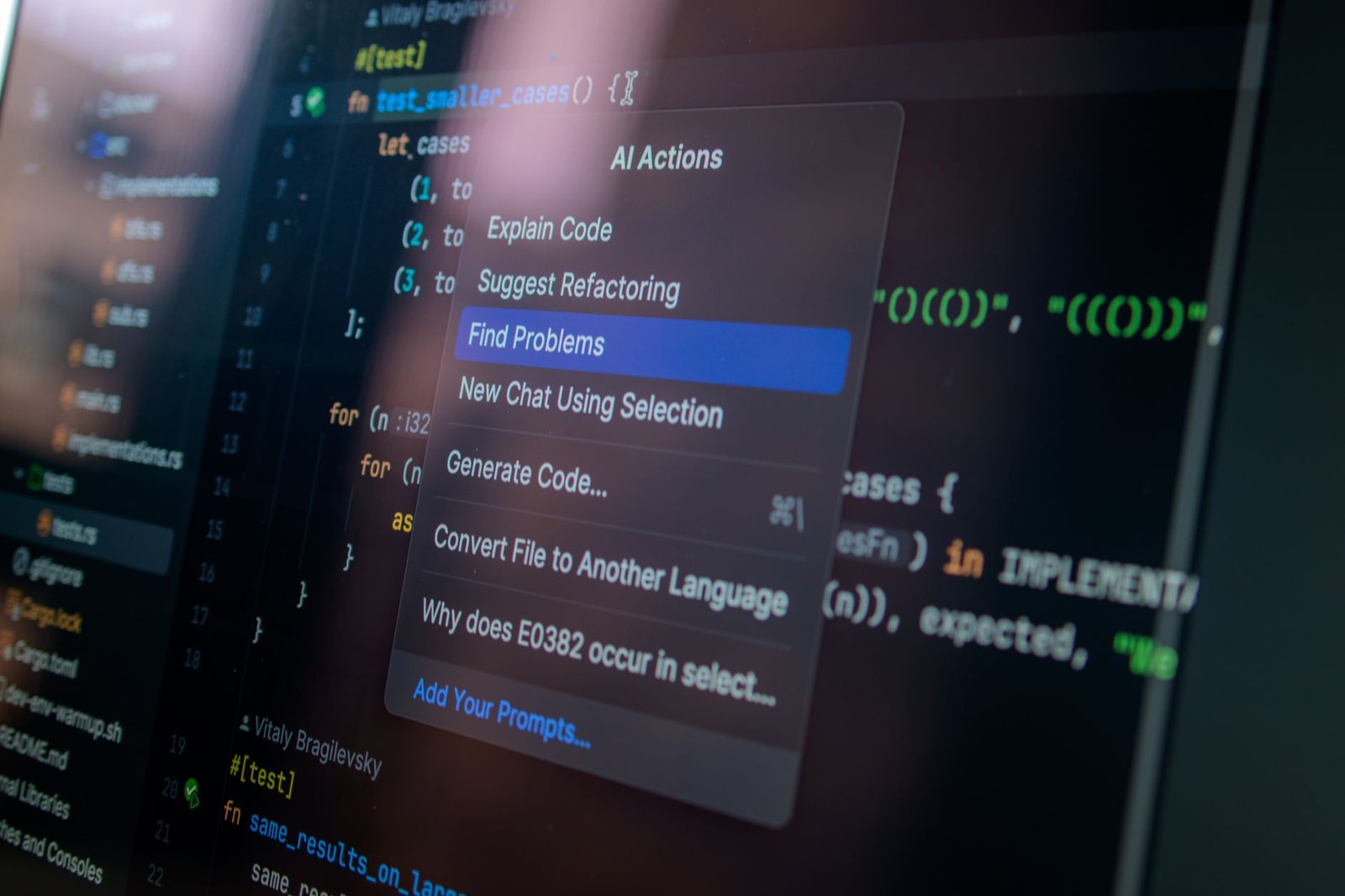
Performance-wise, Copilot excels in generating code for common patterns, unit tests, and even translating comments into functional code. Its integration with Visual Studio Code is seamless, feeling like a natural extension of the IDE. Support also extends to other popular environments like Visual Studio, Neovim, and JetBrains IDEs, making it a versatile tool. For solo developers, the Pro plan at approximately $10/month (or $100/year) offers unlimited access, with a 30-day free trial available to test its capabilities before committing.
Expert Insight: Context is Key
For optimal results with GitHub Copilot, ensure your codebase is well-structured and commented. The clearer the context you provide, the more accurate and helpful Copilot’s suggestions will be. Think of it as collaborating with a junior developer who needs clear instructions.
Despite its acclaim, Copilot isn’t without its challenges. Some users report occasional generation of inefficient or subtly incorrect code that requires careful review. Security concerns also arise, as the AI learns from publicly available code, raising questions about potential licensing issues or the introduction of vulnerabilities. While Copilot significantly boosts productivity, diligent code review remains a critical step in the solo developer’s workflow.
Tabnine: Privacy-Focused AI Code Completion
For solo developers handling sensitive intellectual property, Tabnine stands out with its strong emphasis on privacy. Unlike some cloud-based AI code assistants, Tabnine offers options for running models locally, directly on your machine. This approach significantly mitigates risks associated with sending proprietary code to external servers, providing peace of mind when working with confidential projects.
Tabnine’s code completion engine demonstrates impressive speed and accuracy. Its adaptive learning capabilities mean it quickly grasps your coding style and project-specific patterns. For example, when refactoring a complex module, Tabnine can anticipate variable names and function calls with remarkable precision, reducing manual typing and potential errors. It supports an extensive array of programming languages, making it a versatile tool for developers working across different technology stacks.
Tabnine Plans: Free vs. Pro
Solo developers have two primary tiers to consider: the Free plan and the Pro plan. The Free tier offers basic AI code completion powered by Tabnine’s community models, which is a solid starting point. However, the Tabnine Pro plan unlocks advanced features crucial for professional solo developers. These include access to Tabnine’s more powerful models, significantly faster completions, and importantly, the option for local model execution. While the Pro plan comes with a cost (approximately $12/month billed annually as of early 2026), the productivity gains and enhanced privacy controls often justify the investment for those serious about their craft.
For enterprises or individuals with extremely stringent security requirements, Tabnine offers dedicated solutions that can be fully self-hosted. This capability ensures that sensitive code never leaves the organization’s network, addressing concerns about data residency and compliance. Tabnine’s commitment to providing flexible deployment options, from cloud-based to fully on-premises, makes it a compelling AI code assistant for a wide spectrum of solo developer needs.
Amazon CodeWhisperer: Enterprise-Grade Assistance
Amazon CodeWhisperer stands out among top AI code assistants by combining real-time code generation with enterprise-grade security capabilities. Integrated directly into popular IDEs like Visual Studio Code 1.95 and JetBrains PyCharm 2025.3, it trains on billions of lines of Amazon and open-source code. Solo developers building cloud infrastructure receive tailored completions that dramatically speed up routine development tasks.
Built-in Security and AWS Optimization
Unlike standard autocomplete plugins, CodeWhisperer includes automated security scanning that detects OWASP top 10 vulnerabilities and leaked credentials. It also features built-in reference tracking, alerting you whenever generated code matches public open-source repositories. This enables solo creators to maintain strict licensing compliance without adding extra static analysis tools to their stack.
- AWS Native Integration: Generates boilerplate-free code snippets for AWS SDK v3, AWS Lambda functions, and Amazon DynamoDB tables.
- Real-Time Vulnerability Detection: Identifies security flaws across Python, Java, C#, and JavaScript files directly inside the editor.
- Open-Source Reference Tracking: Flags matching code snippets and provides repository URL and license details for compliance auditing.
- Multi-Language Support: Provides real-time code completions across 15 popular programming languages including Rust, Go, and TypeScript.
- Extensive IDE Ecosystem: Connects directly via the AWS Toolkit plugin for Visual Studio Code, AWS Cloud9, and JetBrains IDEs.
- Context-Aware Suggestions: Analyzes surrounding project files and comments to generate tailored functions matching your local code style.
Performance Benchmarks and Cost Breakdown
In head-to-head performance evaluations, CodeWhisperer achieves response latencies under 310 milliseconds for multi-line completions. On standard HumanEval benchmark tests, its Python code generation yields a 51.4% pass@1 rate, performing on par with paid competitors. The engine excels when generating infrastructure-as-code scripts, outperforming rival tools when writing AWS CDK v2 and Terraform templates.
Cost-effectiveness is where Amazon gives independent developers a massive advantage over rival AI code assistants. The CodeWhisperer Individual Tier is completely free to use, offering unlimited code suggestions and up to 50 code security scans per user every month. For budget-conscious solo engineers, this generous free tier eliminates software subscription costs without compromising on enterprise-level utility.
Revisiting Other Notable AI Code Assistants
While GitHub Copilot and Tabnine capture the lion’s share of headlines, specialized AI code assistants offer powerful workflows tailored for solo engineers. Options like Cursor, Codeium, and Sourcegraph Cody have carved out distinct niches in 2026 by targeting specific IDE experiences and pricing models. For solo developers balancing tight budgets against high output demands, these alternatives present compelling upgrades over traditional setup choices.
Specialized IDEs: Cursor 0.45 vs. Codeium Windsurf
Cursor 0.45 has earned praise for its deep multi-file codebase indexing, using Claude 3.5 Sonnet to execute multi-file edits through plain English prompts. In recent benchmarks, Cursor scored an impressive 89.2% accuracy on complex Python and Rust refactoring tasks, beating Copilot’s standard response quality. However, its standalone editor requirement and $20 per month subscription fee might deter developers who prefer staying inside JetBrains or Neovim environments.
On the flip side, Codeium’s Windsurf IDE and lightweight extensions offer zero-cost unlimited autocomplete for individual users. Codeium processes inline code suggestions in under 90 milliseconds, making it significantly faster than Copilot during rapid prototyping sessions. It shines particularly bright in polyglot projects, handling C++, Go, and Flutter with minimal latency and high context awareness.
Expert Insight: Avoid overpaying for overlapping feature sets. Combine a zero-cost local autocomplete tool like Codeium with on-demand API calls to Sonnet 3.5 in your existing editor to minimize your monthly tool stack expenses.
Niche Alternatives for Cloud and Enterprise Stacks
For developers focused heavily on cloud infrastructure, Amazon Q Developer provides deep integration with AWS CDK, Terraform, and serverless Lambda templates. It offers a free individual tier that automatically scans code for security vulnerabilities against OWASP Top 10 standards. Meanwhile, Sourcegraph Cody 5.2 leads the market in deep repository context search, drawing accurate references across massive multi-repo setups that confuse standard extensions.
Ultimately, selecting alternative AI code assistants requires matching your primary programming language with the vendor’s strength. While Copilot remains a solid default, adopting a context-aware assistant like Cursor or Codeium can yield a 30% speed boost for complex full-stack projects.
Choosing the Right AI Code Assistant for Your Workflow
Selecting the ideal solution among modern AI code assistants requires aligning tool capabilities directly with your stack, editor environment, and security boundaries. A solo developer building React applications in VS Code has vastly different needs than a systems engineer writing Rust in Neovim. Evaluating your daily development patterns helps prevent paying for features you will never use.
Key Factors to Evaluate Before Committing
Before subscribing to a service, systematically audit your requirements across four core categories:
- Language & IDE Compatibility: Confirm that the tool natively supports your primary environment, whether you use JetBrains IntelliJ IDEA 2026.1 or Visual Studio Code. Specialized tools often perform better on specific stacks.
- Budget and Pricing Models: Balance costs between free options like Codeium Free ($0/month) and premium subscriptions such as Cursor Pro ($20/month) or GitHub Copilot Pro ($10/month).
- Data Privacy & Security: Choose tools offering zero-data-retention guarantees if you work with sensitive client repositories or proprietary business logic.
- Context Window Size: Evaluate how well the assistant indexes entire codebases versus reading only active files, especially when working on legacy architectures.
Never commit to a yearly plan without testing multiple AI code assistants on your actual production code. Taking advantage of 14-day free trials allows you to measure real-world completion speed, context retrieval accuracy, and token limits under actual working conditions.
Combining Tools and Maintaining Code Mastery
Solo developers often achieve peak productivity by pairing complementary tools rather than relying on a single engine. For instance, pairing GitHub Copilot for instant inline syntax completions with Claude 3.5 Sonnet for high-level architectural refactoring yields superior results across complex projects.
Ultimately, automation should enhance your engineering expertise, not replace fundamental critical thinking. Always review generated diffs, run local test suites, and ensure you deeply understand every line of code committed to your repository.
The Future of AI Assistants in Solo Development

Looking toward late 2026 and beyond, AI code assistants are transitioning from basic context-aware inline autocompletion engines to fully autonomous software engineering agents. Tools like Devin v2.5 and GitHub Copilot Workspace now reliably execute multi-file refactoring, run autonomous regression testing, and build entire full-stack project scaffolds from markdown specification files. Benchmark studies in late 2025 indicated that agentic coding workflows reduced full-stack MVP development time from three weeks down to under 36 hours for single-operator tech startups.
Evolving Capabilities and Shift in Developer Roles
Advanced capabilities like deep semantic debugging, automated memory leak tracing, and real-time dependency patching now reduce routine maintenance overhead by up to 70%. Consequently, the baseline skill requirements for solo software creators are shifting rapidly away from memorizing syntax toward high-level system architecture, precise prompt orchestration, and comprehensive code auditing.
While creative intuition and domain vision remain human domains, ethical considerations regarding synthetic code training data, copyright liabilities, and data privacy require increased oversight. Operating successfully with next-generation AI code assistants demands that solo developers evolve into managing technical directors who validate, test, and guide agentic outputs rather than typing out raw boilerplate.
Key Action Items to Maintain a Competitive Edge
Solo developers who want to maximize output without increasing burnout should focus on strategic tool adoption and workflow guardrails.
- Master spec-driven engineering by converting functional requirements into structured prompt chains using tools like Cursor Pro ($20/month) and AWS Q Developer.
- Enforce strict static analysis and vulnerability scanning through tools like Snyk to verify code output from models like Claude 3.5 Sonnet.
- Construct robust test-driven development (TDD) environments where local models like Llama 3.3 70B write unit tests prior to feature implementation.
- Focus continuous learning efforts on system design, database indexing, and API security rather than language-specific syntactical quirks.
- Audit open-source dependencies and synthetic code bases regularly to ensure compliance with updated copyright standards like the EU AI Act.
By combining rigorous automated testing with agentic generation, solo founders can build scalable enterprise software that previously required entire engineering teams. Embracing this architectural mindset ensures independent developers maintain a sustainable, high-velocity advantage throughout 2026 and beyond.
Frequently Asked Questions
What is the primary benefit of using an AI code assistant for a solo developer?
The primary benefit for a solo developer is a significant boost in productivity and efficiency. AI code assistants can automate repetitive tasks, provide instant code suggestions, help debug faster, and even generate boilerplate code, freeing up valuable time for more complex problem-solving and creative aspects of development. This allows solo devs to accomplish more in less time, making them more competitive.
Are AI code assistants secure for use with proprietary code?
Security and privacy vary among AI code assistants. Tools like Tabnine offer options for local models and stricter data handling policies, making them more suitable for sensitive or proprietary code. GitHub Copilot has enterprise features for privacy. It’s crucial to review each assistant’s privacy policy and data usage terms, especially regarding training on your code. Always opt for solutions that align with your security requirements.
Can AI code assistants replace the need for learning programming fundamentals?
No, AI code assistants are tools to augment, not replace, fundamental programming knowledge. While they can generate code and offer suggestions, understanding the underlying principles, logic, and best practices is still essential for effective development, debugging, and maintenance. Relying solely on AI without understanding can lead to poorly optimized or insecure code. They are best used as learning aids and efficiency boosters.
How much do AI code assistants typically cost for solo developers?
Pricing for solo developers varies. Many offer free tiers with basic functionality or limited usage (like Codeium or free versions of Tabnine). Premium versions typically range from $10 to $30 per month, often with discounts for annual subscriptions. Some, like GitHub Copilot, might have a student or open-source maintainer free tier. It’s important to compare the features offered at each price point to find the best value.
Which programming languages are best supported by AI code assistants?
Most leading AI code assistants offer strong support for popular languages like Python, JavaScript, TypeScript, Java, C++, and Go. Support for less common languages or domain-specific languages might vary. Generally, tools trained on vast, diverse datasets will have broader language coverage. It’s advisable to check the specific language support list for any assistant you are considering, especially if you work with niche languages.
Is it worth paying for a premium AI code assistant as a solo developer?
For many solo developers, the investment in a premium AI code assistant is often worthwhile due to the significant productivity gains. Faster coding, reduced errors, and quicker debugging can translate into saving hours each week, which directly impacts project timelines and income potential. The advanced features, better accuracy, and priority support in paid versions usually provide a strong return on investment.
Final Thoughts
Selecting the right AI code assistant can be a game-changer for solo developers, dramatically enhancing productivity and code quality in 2026. While tools like GitHub Copilot, Tabnine, and Amazon CodeWhisperer lead the pack with impressive features, the best choice ultimately depends on individual needs, budget, and preferred development environment. Thoroughly evaluating each option’s strengths—from code completion and generation to privacy and integration—is key. Don’t underestimate the power of utilizing free trials to test these assistants in your actual workflow.
Embracing these AI companions allows solo developers to punch above their weight, tackling complex projects with greater speed and confidence. As the technology continues to mature, staying informed and adapting your toolkit will be crucial for maintaining a competitive edge. Start experimenting today to find the AI assistant that best empowers your solo development journey and unlocks new levels of efficiency.