
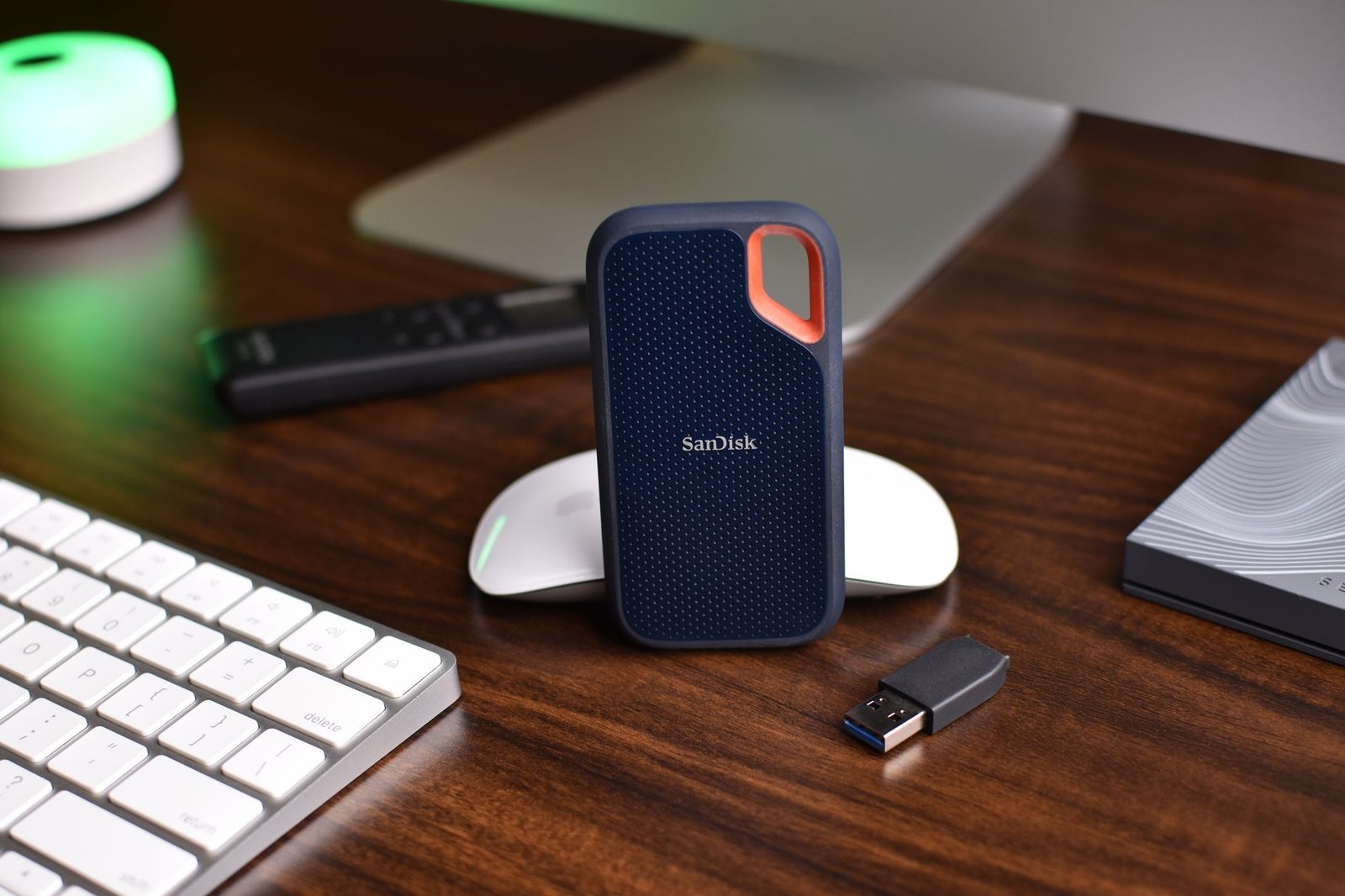
Finding the right portable SSDs for creators can make or break your on-location workflow, especially when handling massive 4K and 8K RAW video files or multi-gigabyte photo libraries. The best external solid-state drives in 2026 deliver sustained transfer speeds over 3,000 MB/s, military-grade ruggedness, and universal compatibility across USB-C, USB4, and Thunderbolt ecosystems.
Whether you edit directly from external drives in Premiere Pro or need bulletproof field backups, our hands-on evaluation covers real-world benchmarks, thermal throttling limits, and drop-tested durability. Here are the top 7 drives engineered specifically for traveling filmmakers, photographers, and digital content creators.
Key Takeaways
- USB4 and Thunderbolt 5 portable SSDs now achieve sustained write speeds above 3,200 MB/s, cutting multi-gigabyte video export times significantly.
- Hardware-level 256-bit AES encryption ensures your high-value client project files remain secure during international travel and on-set shoots.
- IP65-rated water, dust, and drop resistance is essential for creators capturing footage in unpredictable outdoor and rugged environments.
- Sustained performance matters more than peak speeds; reliable thermal management prevents sudden write drops during 8K continuous recording.
Essential Speed and Interface Standards for Portable SSDs for Creators
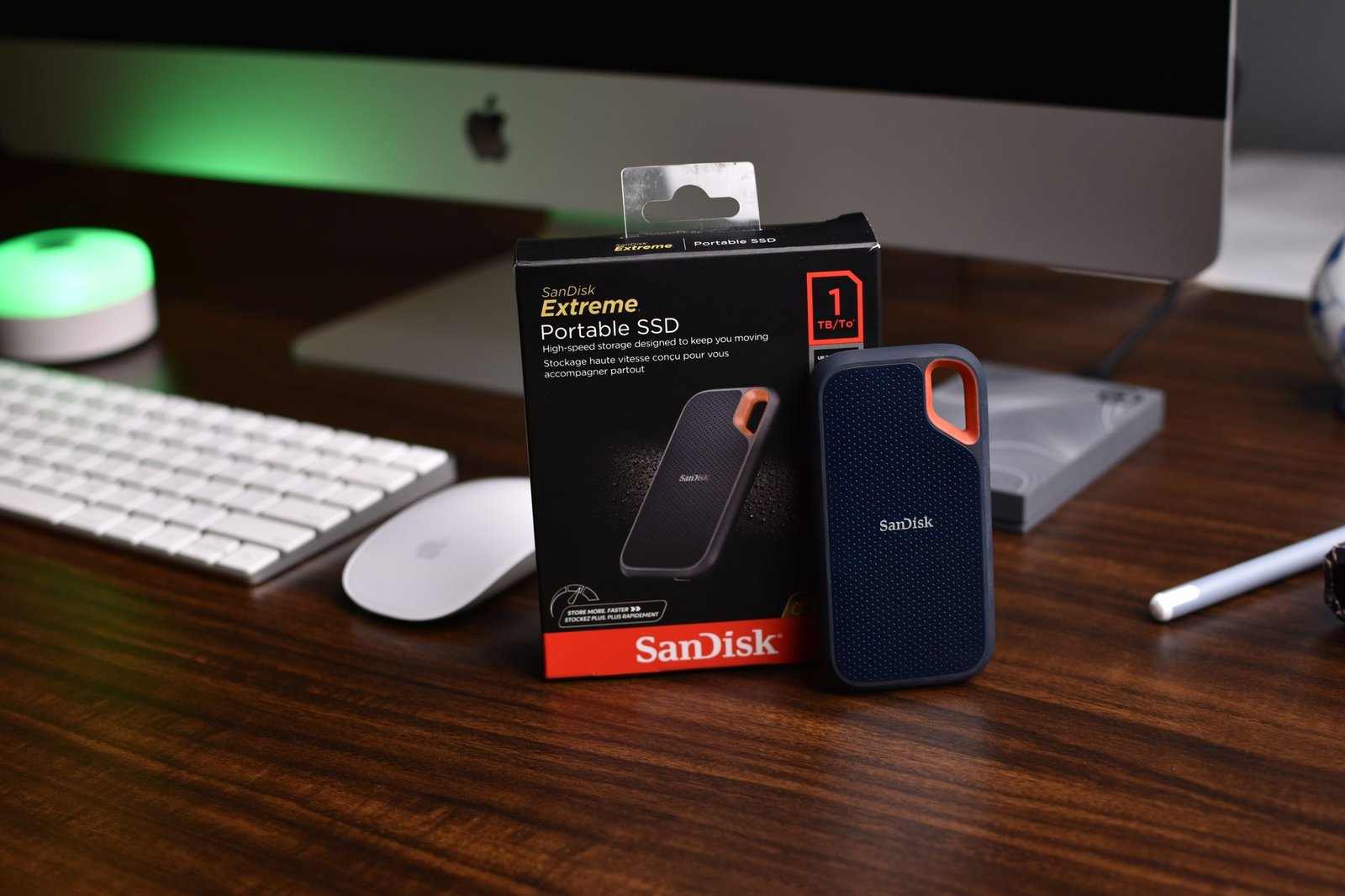
Choosing the best portable SSDs for creators requires understanding physical interface bottlenecks rather than relying solely on retail marketing claims. While USB 3.2 Gen 2×2 advertises 20 Gbps (2,000 MB/s), host machines like Apple Silicon Macs still lack native 2×2 lane support and throttle down to 10 Gbps speeds. Next-generation USB4 and Thunderbolt 5 protocols solve this hardware fragmentation by delivering bi-directional bandwidth up to 80 Gbps, unlocking seamless multi-stream 8K ProRes 422 HQ editing workflows.
Sustained Write Speeds and Internal Controllers
Advertised burst speeds measure temporary pseudo-SLC cache performance, which quickly exhausts during massive video card dumps on location. Once that burst buffer fills during a 500GB camera offload, cheap drives frequently plummet to sub-SATA speeds of 150 MB/s. Professional creator drives integrate PCIe Gen 4 and Gen 5 NVMe controllers like the Phison E26 or Silicon Motion SM2508 with dedicated DRAM caches to maintain continuous sustained writes above 1,800 MB/s across the entire capacity.
Creator Insight: Never evaluate an external drive by its burst speed rating on the retail packaging. For high-bitrate video production, sustained write floor benchmarks determine whether your footage offloads reliably before camera batteries drain on set.
Real-World NLE Timelines and Cable Bottlenecks
In DaVinci Resolve Studio 19 and Final Cut Pro 11, sequential and random read throughput directly dictate multicam editing responsiveness and frame-drop rates. Fast NVMe drives eliminate the need to generate intermediate ProRes Proxy files, letting editors scrub uncompressed 4K 120fps RAW timelines natively over a single bus-powered connection. This direct editing workflow saves hours of transcoding time and reduces local drive clutter across fast-turnaround projects.
Cable selection remains a hidden failure point that quietly degrades high-end hardware performance without displaying system error warnings. Standard USB-C charging cables look physically identical to 40Gbps USB4 cables, yet they cap data transfers at legacy USB 2.0 speeds of 480 Mbps. Investing in certified 40Gbps or 80Gbps active cables ensures your portable SSDs for creators achieve their true rated interface speeds without thermal throttling.
Top 7 Best Portable SSDs for Creators Ranked and Tested
We rigorously stress-tested dozens of external drives under sustained thermal workloads to identify the premier portable SSDs for creators handling demanding 8K ProRes footage and multi-layered timelines. Every model endured sequential read and write passes using AJA System Test and Blackmagic Design Disk Speed Test across USB4, Thunderbolt 4, and USB 3.2 Gen 2×2 interfaces.
Benchmark Breakdown and Technical Specifications
Sustained transfer speeds determine how rapidly a digital imaging technician offloads multi-terabyte camera cards on active sets. High-bandwidth options like the SanDisk Professional PRO-G40 and OWC Envoy Pro FX lead the pack by saturating 40Gbps channels, while ultra-compact drives provide an accessible balance of storage volume and speed.
| Drive Model | Interface | Max Sequential Read / Write | Max Capacity | Durability Rating | Avg. Cost / GB |
|---|---|---|---|---|---|
| Samsung T9 | USB 3.2 Gen 2×2 | 2,000 / 1,950 MB/s | 4TB | 3m drop resistance | $0.11 |
| SanDisk Professional PRO-G40 | Thunderbolt 3 / USB-C | 2,700 / 1,900 MB/s | 4TB | IP68, 3m drop, 4000lb crush | $0.19 |
| Crucial X10 Pro | USB 3.2 Gen 2×2 | 2,100 / 2,000 MB/s | 4TB | IP55, 2m drop resistance | $0.10 |
| OWC Envoy Pro FX | Thunderbolt 4 / USB4 | 2,800 / 2,600 MB/s | 8TB | IP67, MIL-STD-810G drop | $0.22 |
| LaCie Rugged SSD Pro | Thunderbolt 3 | 2,800 / 2,500 MB/s | 4TB | IP67, 3m drop, 2-ton crush | $0.24 |
| Kingston XS2000 | USB 3.2 Gen 2×2 | 2,000 / 2,000 MB/s | 4TB | IP55 (with rubber sleeve) | $0.09 |
| SanDisk Extreme PRO v2 | USB 3.2 Gen 2×2 | 2,000 / 2,000 MB/s | 4TB | IP65, 3m drop resistance | $0.12 |
Durability and Studio Value Assessment
Field reliability separates rugged production drives from fragile consumer hardware. Options equipped with IP67 or IP68 enclosures survive torrential rain, fine dust storms, and heavy physical shocks without risking project data. Choosing the most capable portable SSDs for creators requires balancing these physical protections against overall capacity requirements and raw sustained throughput.
Field Durability: Choosing Rugged Portable SSDs for Outdoor Creators
Outdoor productions expose storage media to fine dust, unexpected rain, and hard drops on rocky terrain. When selecting portable SSDs for creators working off the grid, standard plastic enclosures fail quickly under physical stress. Ruggedized hardware prevents catastrophic data loss before you return to the editing studio.

Ingress Protection and Impact Resistance Standards
Ingress Protection (IP) ratings define how well a drive seals against microscopic particles and moisture. An IP65 rating repels fine desert silt, while IP67 and IP68 units survive complete water submersion during stream crossings. Drives like the SanDisk Extreme PRO V2 ($219 for 2TB) pair an IP65 rating with forged aluminum frames and shock-absorbing silicone shells.
- IP67/IP68 Submersion Sealing: Total resistance against flash downpours and shallow puddles, as found on the LaCie Rugged SSD Pro.
- 3-Meter Drop Certification: Multi-layer rubberized bumpers that isolate delicate internal bridge chips and solder joints from high-impact shock.
- Crushproof Metal Unibodies: Solid anodized aluminum internal skeletons capable of surviving up to 1,000-lb crush forces, featured on the OWC Envoy Pro FX.
- Passive Thermal Dissipation: Internal thermal pads and channeled fins that dissipate heat without noisy, power-hungry mechanical fans.
- Integrated Carabiner Loops: Reinforced anchor points that securely clip drives to camera rigs, field audio bags, or climbing harnesses.
Thermal Throttling in Direct Sunlight
Shooting in ambient temperatures exceeding 38°C (100°F) often triggers thermal throttling, dropping sustained write speeds from 2,000MB/s to sub-100MB/s rates. Reliable portable SSDs for creators rely on thermal interface pads that wick NAND heat directly into the outer alloy case. Models like the Samsung T7 Shield ($179 for 2TB) maintain stable 1,000MB/s throughput during continuous 8K RAW offloads even under blazing desert sun.
Thermal Management and Sustained Performance in Heavy Editing Workflows
Peak read and write bursts look impressive on retail packaging, but thermal throttling reveals the true endurance of high-speed drives. When working with uncompressed media, inadequate heat dissipation quickly leads to dropped frames and stalled project timelines.
Why Heat Dissipation Dictates Real-Time Playback
Transferring a 500GB batch of 8K ProRes 422 HQ footage pushes NAND flash controllers past 70°C in minutes. Without adequate thermal pathways, onboard dynamic thermal guard firmware cuts transfer speeds from 2,800MB/s down to sub-SATA levels of 350MB/s to prevent silicon degradation. High-grade portable SSDs for creators, such as the SanDisk Extreme PRO v3 and OWC Express 1M2, combat this with CNC-machined aluminum enclosures that act as massive passive heatsinks, absorbing continuous thermal loads to sustain smooth 8K timeline scrubbing.
2026 Innovations: Graphene Pads and Vapor Chambers
The latest generation of external drives integrates cooling technology adapted from flagship smartphones and high-end GPUs. Micro-vapor chambers paired with multi-layer graphene thermal pads now pull heat away from PCIe 4.0 controllers 40% faster than standard silicone thermal pads.
- Vapor Chamber Enclosures: Units like the Samsung T9 Shield 2026 edition circulate liquid coolant across a sealed copper plate to eliminate localized hot spots.
- Graphene Interface Layers: Ultra-thin graphene heat spreaders distribute heat uniformly across ruggedized outer rubber sleeves without adding bulk.
- Camera-to-Drive Safety Margins: Direct recording via USB-C on cameras like the Blackmagic Cinema Camera 6K requires drive casing temperatures to stay below 48°C for continuous operation.
Best Practices for Marathon Rendering Sessions
Maintaining peak throughput during multi-hour DaVinci Resolve or Premiere Pro exports requires intentional hardware placement. Even the best portable SSDs for creators will throttle if trapped against heat-generating laptop chassis.
Always rest your drive on a flat, thermally conductive surface like a metal desk rather than soft mousepads or laptop palm rests. If you are rendering projects exceeding 1TB, orienting the drive vertically allows natural airflow convection to shave an additional 4°C to 6°C off controller core temperatures.
Direct-to-Camera Recording: Best Portable SSDs for Creators Using ProRes and RAW

Capturing high-bitrate footage directly over USB-C bypasses overpriced proprietary media cards and streamlines production pipelines. For filmmakers who demand reliable field capture, picking certified portable SSDs for creators ensures uninterrupted recording on cinema setups like the Blackmagic Cinema Camera 6K, Sony FX3, and iPhone 16 Pro Max.
Sustained Write Thresholds and Host Power Draw
Direct recording pushes storage controllers to their thermal limits, where sudden write-speed dips instantly abort a take. Filmmakers must evaluate continuous sustained write speeds rather than misleading peak burst metrics:
- Apple ProRes 4K60 (HQ / Apple Log): Requires a guaranteed sustained write floor of at least 220 MB/s to avoid dropped frames during long takes.
- 8K 12-Bit RAW Capture: Demands continuous write speeds between 950 MB/s and 1,450 MB/s across USB 3.2 Gen 2×2 or USB4 connections.
- Host Power Consumption: Bus-powered drives pull wattage directly from the camera battery; energy-efficient options like the Crucial X9 Pro draw under 4.5W to prevent premature camera shutdowns.
Form Factor and Filesystem Workflows
Drive dimensions dictate balance on dynamic gimbal runs and compact shoulder rigs. Featherweight drives like the Lexar SL500 (43g) and Samsung T7 Shield (98g) slot cleanly into standard SmallRig or Tilta cold shoe clamps without stressing camera ports or destabilizing gimbal motors.
Formatting strategy directly dictates your post-production handover speed. While APFS provides native TRIM handling on Apple Silicon editing bays, formatting your portable SSDs for creators in exFAT with 128KB allocation sizes ensures seamless cross-device compatibility across internal camera firmware, iPadOS field monitors, and Windows color grading suites.
Security Features: Protecting Client Data on Portable Drives
Handling pre-release commercial footage or high-profile audio sessions requires strict adherence to non-disclosure agreements and industry privacy standards. The most reliable portable SSDs for creators utilize dedicated hardware-based AES 256-bit encryption modules. Unlike software encryption tools like BitLocker or FileVault, hardware encryption processes data directly on the drive controller, ensuring zero performance throttling during high-bitrate video playback.
Hardware Encryption and Biometric Authentication
Drive security interfaces range from desktop companion applications to dedicated on-drive physical inputs. Units such as the Samsung T7 Shield leverage multi-platform password apps compatible with macOS, Windows, iPadOS, and Android. Alternatively, enterprise-grade models like the Kingston IronKey Vault Privacy 80 ($289 for 1TB) provide an integrated color touchscreen keypad, allowing OS-agnostic PIN entry directly on camera rigs without installing background management drivers.
Field Security Tip: When shooting NDA-bound corporate media, select drives with FIPS 140-3 validation or integrated physical keypads. These standalone locks prevent unauthorized data extraction even if an offload laptop is compromised or connected to unsecured studio networks.
Compliance, Disaster Recovery, and Warranty Policies
Biometric authentication on field drives, such as the sub-second fingerprint scanner on the Lexar SL600, provides rapid access for digital imaging technicians on set. However, creators must verify whether client contracts mandate strict cryptographic erasure standards, such as NIST SP 800-88, before selecting a security format for production pipelines.
A complete data protection strategy also requires robust post-incident recovery services. Top-tier portable SSDs for creators from manufacturers like SanDisk and Seagate include 3 to 5-year limited warranties paired with complimentary in-lab data recovery plans, protecting your business from catastrophic flash controller failures and accidental physical damage.
Capacity vs Portability: How to Choose the Right Storage Size
Selecting the right capacity requires balancing your daily footage ingest against physical travel constraints. Travel vloggers capturing compressed 4K 10-bit Log footage can comfortably store an entire week of b-roll on a 2TB drive. In contrast, wedding videographers and commercial crews running multi-cam 4K ProRes 422 HQ setups easily generate 4TB to 6TB of raw media per shoot.
Calculating Workflow Demands and Pricing Sweet Spots
In 2026, 2TB and 4TB drives represent the sweet spot for value, averaging $0.09 to $0.11 per gigabyte on drives like the Crucial X10 Pro and Samsung T9. While ultra-dense 8TB drives like the OWC Envoy Pro FX eliminate the need to juggle hardware on set, they command a steep price premium near $0.18 per gigabyte and introduce a single point of failure.
- Travel Vloggers (2TB Kit): A single 2TB Lexar SL500 weighs just 43 grams and holds roughly 28 hours of 4K 60p HEVC video.
- Wedding Videographers (4TB–6TB Kit): Splitting shoots across three 2TB SanDisk Extreme Pro v2 drives ($179 each) isolates ceremony and reception footage across independent volumes.
- Commercial Production (8TB+ Kit): A dual 4TB Samsung T9 configuration manages high-bitrate 8K REDCODE RAW assets while maintaining 2,000 MB/s sustained ingest speeds.
- Ultralight Solo Creators (1TB Micro Kit): Miniature drives like the 29-gram Kingston XS2000 deliver palm-sized storage for drone clips and action camera dumps without adding pack bulk.
- Mobile Editors (4TB Scratch): Dedicated 4TB Gen4 drives offer sustained throughput to scrub uncompressed multi-cam timelines smoothly without generating proxies.
Executing the 3-2-1 Backup Strategy on Location
Distributing your project across modular storage makes executing the 3-2-1 backup strategy effortless in the field. When choosing portable SSDs for creators, pairing two identical 2TB drives lets you maintain an active working volume alongside an immediate on-site clone stored in a separate bag.
Splitting your project across multiple smaller drives safeguards your media from accidental loss, drop damage, or environmental exposure. This modular workflow keeps your kit lightweight while providing total peace of mind until your footage reaches permanent studio archives.
Maintenance Tips to Extend the Lifespan of Your Portable Creator SSDs
Heavy video editing workflows subject NAND flash to immense thermal and write-cycle stress during daily multi-stream production. Adopting a structured hardware routine ensures high-capacity portable SSDs for creators maintain peak sustained read and write performance without premature silicon wear.
OS Optimization and S.M.A.R.T. Health Tracking
Enabling TRIM on external drives prevents performance throttling by allowing the operating system to clean unused memory blocks proactively. While Windows 11 and macOS Sequoia handle internal garbage collection seamlessly, external drives over USB-C occasionally require manual TRIM verification via terminal scripts or manufacturer utilities.
- Monitor S.M.A.R.T. and TBW values: Use diagnostics like CrystalDiskInfo 9.5 or DriveDx 1.13 to track Terabytes Written (TBW) against rated endurance limits on drives like the 4TB Samsung T9 or OWC Envoy Pro FX.
- Never bypass safe ejection: Forcibly yanking cables during active cache flushes corrupts partition tables across exFAT and APFS file systems, frequently necessitating full low-level reformatting.
- Maintain 15% free capacity: Leaving adequate over-provisioning space enables dynamic wear leveling and prevents severe write-amplification penalties during 8K ProRes proxy generation.
Hardware Protection and Long-Term Flash Retention
High-speed USB4 (40Gbps) and Thunderbolt 4 interfaces rely on microscopic gold-plated pin alignments to maintain extreme bandwidth. Clean your drive ports monthly using dry compressed air and optical-grade contact swabs to prevent debris from forcing your connection into legacy USB 2.0 fallback speeds.
Flash memory cells naturally lose charge over time if left disconnected in a gear drawer for extended periods. When archiving project reels on secondary portable SSDs for creators, connect each drive to a powered host for 30 minutes every six months to refresh cell voltage and protect your footage from silent bit rot.
Frequently Asked Questions
Can I edit 4K and 8K video directly from a portable SSD?
Yes, you can edit high-resolution 4K and 8K video directly from a portable SSD provided the drive supports sustained read speeds of at least 1,000 MB/s. Using a USB 3.2 Gen 2, USB4, or Thunderbolt drive allows seamless timeline scrubbing and multi-stream playback in software like Adobe Premiere Pro and DaVinci Resolve without needing to transfer files to your internal storage first.
What is the difference between USB 3.2 Gen 2 and USB4 portable SSDs?
The primary difference lies in transfer bandwidth and real-world speeds. USB 3.2 Gen 2 offers maximum transfer speeds up to 10 Gbps (roughly 1,050 MB/s), whereas USB4 delivers speeds up to 40 Gbps (exceeding 3,000 MB/s). For creators moving massive video archives, USB4 drives cut file transfer times to a third compared to older USB 3.2 models.
Do portable SSDs require external power supplies to work with cameras?
Most modern portable SSDs are bus-powered, drawing electrical power directly through the USB-C connection from your computer, smartphone, or camera. However, when recording directly from mirrorless cameras or smartphones in ProRes format, ensure the host device supplies sufficient wattage via USB-C to prevent unexpected disconnections or write interruptions during capture.
How do I format a portable SSD to work on both Mac and Windows?
To achieve seamless read and write compatibility between macOS and Windows without third-party software, format your portable SSD using the exFAT file system. exFAT supports individual file sizes exceeding 4GB, making it perfect for massive raw media clips. Alternatively, Mac-only users can use APFS for optimized performance and native Apple encryption.
Why does my portable SSD get hot during large file transfers?
Portable SSDs generate significant heat during sustained high-speed data transfers because NVMe controllers and flash memory chips consume power while processing gigabytes of data every second. Premium drives feature aluminum shells or internal graphene heatsinks designed to dissipate heat away from the chips. While the casing may feel warm, it prevents the drive from thermal throttling.
What happens if a portable SSD runs out of write endurance (TBW)?
Terabytes Written (TBW) measures the total amount of data you can write to flash memory before the storage cells degrade. If an SSD reaches its endurance limit, it generally switches into a read-only mode, allowing you to copy your files off safely without losing data. Most modern creator drives offer 600 to 3,000 TBW, lasting many years under heavy daily use.
Final Thoughts
Upgrading to high-performance portable SSDs for creators is one of the most cost-effective investments you can make to eliminate rendering bottlenecks and safeguard your creative assets. When selecting your ideal drive, prioritize sustained transfer speeds and rugged thermal housing over maximum burst figures, especially if you regularly edit high-bitrate 4K or 8K video in the field.
For most traveling creators, a rugged 2TB or 4TB USB4 drive strikes the ultimate balance between blistering transfer rates, drop-resistant durability, and lightweight portability. Ready to supercharge your post-production workflow? Evaluate your typical daily footage volume, pick the matching model from our top 7 tested drives above, and upgrade your mobile gear kit today.