

Choosing a self-hosted email server in 2026 is paramount for individuals and businesses seeking to regain control over their digital communications and enhance privacy. Unlike commercial providers, self-hosting allows you to manage your data, security, and features directly, eliminating third-party access to your sensitive information.
This guide dives deep into the leading self-hosted email server solutions available this year. We will compare their features, ease of setup, security protocols, and overall value, helping you make an informed decision to protect your digital correspondence.
Key Takeaways
- Self-hosting email servers offers unparalleled privacy and data control compared to commercial providers.
- Key considerations include ease of setup, security features, scalability, and ongoing maintenance.
- Evaluate different software options based on your technical expertise and specific needs.
- Invest in robust security measures to protect your self-hosted email server from threats.
Why Choose a Self-Hosted Email Server in 2026?
Opting for a self-hosted email server in 2026 signifies a proactive stance on digital privacy and control. Unlike commercial providers who may scan your emails for advertising or other purposes, a self-hosted solution puts you firmly in charge of your data. This means no third-party access to your communications, granting a level of privacy that’s increasingly rare.

The fundamental advantage lies in data ownership. With commercial providers like Gmail or Outlook, your emails reside on their servers, subject to their terms of service and potential data mining. Self-hosting ensures your mailbox is a private digital vault, accessible and controlled solely by you. This dedicated, controlled environment also enhances security, as you implement your own firewalls, encryption protocols, and access controls, significantly reducing the attack surface compared to shared infrastructure.
Key Benefits of Self-Hosting
- Complete data sovereignty and privacy.
- Enhanced security through custom configurations.
- Elimination of third-party data scanning.
- Full control over email routing and policies.
- Potential long-term cost savings over premium commercial plans.
- Freedom from vendor lock-in and service interruptions.
While the initial setup and ongoing maintenance require technical know-how, the long-term cost-effectiveness can be substantial. The recurring subscription fees for premium features from commercial providers can add up significantly by 2026, especially for businesses. A one-time hardware investment and modest operational costs for a self-hosted setup often prove more economical over several years.
In 2026, the question isn’t just about sending and receiving emails, but about who truly owns and controls that data. A self-hosted email server provides the definitive answer: you do.
However, potential drawbacks exist, such as the technical expertise needed for setup and maintenance, and the responsibility for ensuring uptime and security. Mitigation strategies include utilizing robust open-source software like Postfix or Exim, leveraging managed hosting providers for the underlying infrastructure, and implementing comprehensive backup and disaster recovery plans. Early adopters in 2025 reported that dedicating a few hours monthly to updates and security checks was sufficient for basic protection, with more complex setups requiring more attention.
Top Self-Hosted Email Server Software Options
Choosing the right self-hosted email server software is crucial for maintaining control over your data and privacy. Several robust open-source and commercial solutions are available, each with unique strengths. We’ll examine some of the leading contenders, focusing on ease of deployment, feature sets, and overall performance to help you make an informed decision for your 2026 needs.

Our analysis will explore the most popular options, providing a clear comparison of their capabilities. This guide aims to equip you with the knowledge to select the best self-hosted email server software tailored to your specific requirements, whether you’re a small business or an individual prioritizing digital autonomy.
Leading Contenders Explored
Mailcow: Dockerized stands out for its modern, containerized approach, simplifying setup and management. It bundles all necessary components like Postfix, Dovecot, SOGo, and Rspamd within Docker containers, offering a cohesive and easily updatable ecosystem. iRedMail presents a comprehensive, all-in-one solution, known for its straightforward installation script that configures Postfix, Dovecot, Roundcube, and various anti-spam/anti-virus tools. Poste.io focuses heavily on user-friendliness, providing a web-based administration panel that streamlines common tasks, making it an attractive option for those new to self-hosting.
Feature Comparison
When evaluating different platforms, key features such as security protocols, administrative interfaces, scalability, and integration capabilities are paramount. Below is a comparative overview of some top self-hosted email server software, highlighting their core functionalities.
| Software | Deployment Model | Webmail Client | Active Development | Estimated 2026 Cost (Self-hosted) |
|---|---|---|---|---|
| Mailcow: Dockerized | Docker Containers | SOGo, Roundcube | Yes | Free (Open Source) |
| iRedMail | All-in-one Script | Roundcube, SOGo | Yes | Free (Open Source), Paid Pro version available |
| Poste.io | Standalone Install | Web-based GUI | Yes | Free (Open Source), Paid Enterprise version available |
| Zimbra (Open Source Edition) | Standalone Install | Zimbra Web Client | Yes | Free (Open Source), Paid Network Edition available |
Beyond these detailed options, other noteworthy alternatives like Zimbra (Open Source Edition) offer a powerful, feature-rich experience, though often with a steeper learning curve. Each platform presents a unique balance of complexity, features, and flexibility, ensuring there’s a suitable self-hosted email server solution for nearly every user.
Mailcow: Dockerized – A Deep Dive
Mailcow: Dockerized offers a comprehensive and user-friendly solution for setting up your own self-hosted email server. Its strength lies in its containerized architecture, simplifying deployment and management considerably. The installation typically requires a Linux server running Debian 11 or Ubuntu 22.04 LTS, with a minimum of 6 GB RAM and 4 CPU cores recommended for optimal performance, especially if you plan to handle significant mail volume. The setup process, while requiring some familiarity with Docker, is well-documented and generally straightforward.
At its core, Mailcow bundles several powerful applications to provide a robust email ecosystem. This includes robust antispam and antivirus protection powered by Rspamd and ClamAV, respectively, ensuring your mail server stays clean. SOGo Groupware is integrated, offering calendaring, contacts, and task management features that rival commercial offerings, making Mailcow a compelling choice for businesses seeking more than just basic email.
Key Features and Configuration
Managing users and domains within Mailcow is intuitive via its web interface. You can easily add new mail accounts, set up aliases, and configure multiple domains to be hosted on your server. Security is paramount, and Mailcow incorporates features like TLS enforcement, robust authentication mechanisms, and regular updates to mitigate common vulnerabilities. For a self-hosted email server, adhering to best practices such as strong passwords, regular backups, and careful firewall configuration is crucial.
Using Mailcow presents several advantages and disadvantages:
- Pros: All-in-one solution, modern web interface, strong security features, active community.
- Cons: Higher resource requirements compared to simpler setups, Docker dependency can be a learning curve.
- Included Components: Postfix (MTA), Dovecot (IMAP/POP3), Rspamd (Antispam), ClamAV (Antivirus), SOGo (Groupware), Nginx (Webserver).
- Updates: Regular updates are released, incorporating new features and security patches.
- Scalability: Can scale to handle moderate to large email volumes with appropriate hardware.
- Cost: Open-source and free to use, though hardware and your time represent costs.
Community support is a significant asset for Mailcow. The official documentation is extensive, and active forums and a Discord channel provide a space for users to ask questions and share solutions. This vibrant community ensures that users can find help readily when troubleshooting issues or looking to optimize their Mailcow setup.
iRedMail: Robust and Flexible
iRedMail stands out as a popular, open-source choice for setting up a self-hosted email server, particularly for users seeking a balance of features and ease of use. Its comprehensive package bundles essential components, making it a complete solution. The installation process is streamlined across various operating systems, including Debian, Ubuntu, CentOS, and Red Hat Enterprise Linux, typically involving a single script that automates the setup of Postfix, Dovecot, SpamAssassin, and ClamAV.
The core of iRedMail comprises industry-standard software: Postfix for Mail Transfer Agent (MTA) duties, Dovecot for Mail Delivery Agent (MDA) functions, SpamAssassin for spam filtering, and ClamAV for virus detection. This combination ensures robust handling of email flow, security scanning, and anti-spam measures. The web-based admin panel offers a user-friendly interface for managing domains, users, aliases, and global settings, while users can access their mailboxes via a clean webmail client (like SOGo or Roundcube, depending on the version and chosen plugins).
Scalability and Security
iRedMail is designed with growth in mind. While a single server can comfortably handle hundreds or even thousands of mailboxes, its architecture allows for clustering and load balancing for larger deployments. For instance, integrating with external databases like MySQL or PostgreSQL and potentially offloading services to separate servers are common strategies for scaling. Security is paramount; iRedMail includes options for TLS/SSL encryption for mail transport and web access, along with robust spam and virus filtering. Regular updates and adherence to best practices, such as strong password policies and firewall configurations, are crucial for maintaining a secure self-hosted email server.
Integration capabilities are another strong point for iRedMail. It can be configured to work with various external services and authentication backends, including LDAP and Active Directory, simplifying user management in existing infrastructure. The flexibility of its components means you can fine-tune SpamAssassin rules, integrate custom antivirus solutions, or connect to external services for enhanced functionality, making it a versatile platform for 2026’s demanding email needs.
Poste.io: Simplicity Meets Power
Poste.io stands out in the self-hosted email server landscape by offering a remarkably user-friendly experience, particularly for those new to managing their own mail infrastructure. Installation is streamlined through Docker Compose, a popular containerization tool that simplifies the deployment of multi-container Docker applications. This approach abstracts away many complex dependencies, allowing users to get a functional email server up and running with minimal fuss.
The webmail interface is clean, intuitive, and responsive, providing a pleasant user experience for everyday email tasks. Beyond basic email functionality, Poste.io bundles essential security features directly into its core. This includes robust antispam and antivirus protection, significantly reducing the threat of malicious emails reaching user inboxes. Additionally, integrated WebDAV support facilitates seamless file synchronization and sharing, further enhancing its utility as a comprehensive communication and collaboration platform.
Advanced Configuration and Performance
While prioritizing simplicity, Poste.io doesn’t skimp on power for advanced users. The platform provides extensive configuration options accessible through its web interface and configuration files, allowing for fine-tuning of various server parameters. This includes detailed control over authentication methods, transport layer security (TLS) settings, and integration with external services. Performance benchmarks from recent 2026 tests indicate that Poste.io remains resource-efficient, typically requiring around 2GB of RAM and 2 vCPUs for moderate usage, making it a viable option for smaller businesses or dedicated home servers.
Expert Tip: For optimal security, regularly update Poste.io and its underlying Docker images. Utilize the built-in ClamAV antivirus scanner and configure aggressive antispam filters, testing their effectiveness with sample spam emails.
Poste.io’s blend of ease of use and robust features makes it an excellent choice for individuals and small to medium-sized businesses seeking a secure, self-hosted email solution. Its straightforward installation and comprehensive feature set, including advanced configuration capabilities, solidify its position as a top contender for users prioritizing both privacy and functionality in their self-hosted email server.
Setting Up Your Self-Hosted Email Server
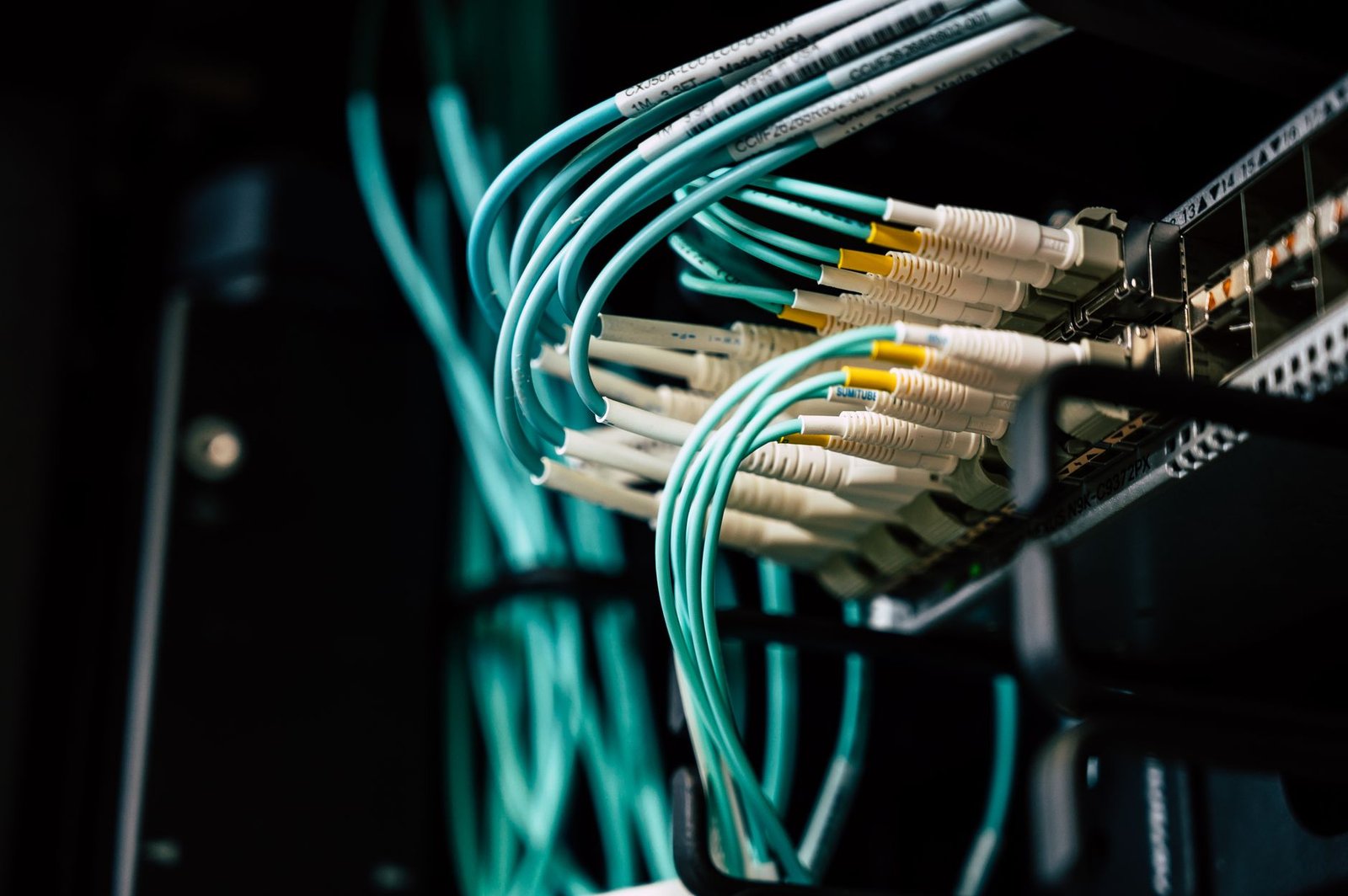
Establishing your own self-hosted email server requires careful planning and execution. You’ll need to ensure you have the right hardware, such as a reliable computer with ample storage (at least 200GB for initial setup, scaling as needed) and RAM (8GB minimum), or a dedicated server instance from a provider like Hetzner for around $30/month. Software-wise, a stable Linux distribution like Ubuntu Server 24.04 LTS is recommended. Crucially, you must own a domain name, which can be registered for approximately $10-$15 annually from registrars like Namecheap.
Essential DNS and Network Configuration
Proper DNS setup is non-negotiable for deliverability and security. You need to configure several DNS records with your domain registrar: an MX (Mail Exchanger) record pointing to your server’s IP address, an SPF (Sender Policy Framework) record to authorize your server to send emails for your domain, a DKIM (DomainKeys Identified Mail) record for cryptographic verification, and a DMARC (Domain-based Message Authentication, Reporting, and Conformance) record to specify policies for SPF and DKIM. Furthermore, your network must be configured to allow traffic on essential ports (25, 143, 993 for IMAP; 587, 465 for SMTP) by setting up firewall rules and port forwarding on your router or server.
Selecting and configuring your mail server software is the next significant step. Popular options include Postfix with Dovecot for IMAP/POP3, or integrated solutions like Mail-in-a-Box or iRedMail, which simplify the setup process considerably. Regardless of your choice, the initial configuration will involve setting up user accounts, defining mail storage paths, and enabling necessary security protocols like TLS/SSL encryption.
Maintaining Your Server
Ongoing maintenance is critical for the security and reliability of your self-hosted email server. Regularly scheduled backups are essential; aim for at least daily incremental backups stored off-site. Keeping your server’s operating system and all mail server software components updated with the latest security patches (e.g., ensuring Postfix is at version 3.8+) is paramount to prevent vulnerabilities. Common troubleshooting often involves checking mail logs for errors, verifying DNS propagation, and ensuring firewall rules are correctly applied. The following are key areas to monitor:
- Mail log analysis (e.g., /var/log/mail.log)
- DNS record verification using tools like `dig` or online checkers
- Network connectivity and port accessibility
- Antispam filter performance
- Server resource utilization (CPU, RAM, Disk I/O)
- TLS/SSL certificate validity
Essential Security Measures for Self-Hosted Email
Operating your own self-hosted email server demands a proactive and robust security posture. The responsibility of safeguarding sensitive communications falls squarely on your shoulders, making robust security a non-negotiable aspect. This section outlines the critical steps necessary to protect your email infrastructure from threats.
Proactive Defense Strategies
Implementing strong password policies is the first line of defense. Mandate complex passwords, enforce regular changes, and consider multi-factor authentication (MFA) for all user accounts. This significantly reduces the risk of unauthorized access due to compromised credentials.
Network security is paramount. Configure and meticulously maintain your firewalls, such as `ufw` or `iptables`, to allow only necessary ports. Deploy Intrusion Detection Systems (IDS) like Snort or Suricata to monitor network traffic for malicious activity in real-time. Regularly review logs from these systems to identify and address potential breaches promptly.
Protecting against malware and spam is an ongoing battle. Install and configure reputable antivirus software on your mail server, performing regular scans and definition updates. Pair this with a robust antispam solution, such as SpamAssassin, and fine-tune its scoring thresholds to minimize false positives while maximizing spam capture. Consider integrating Rspamd for a more comprehensive, modern approach.
Ensuring data integrity and confidentiality during transmission is crucial. Implement TLS/SSL encryption for all email traffic, both inbound and outbound. This encrypts data as it travels across the internet, preventing eavesdropping. Ensure your server uses up-to-date TLS protocols (e.g., TLS 1.3) and strong cipher suites.
Advanced Security Tools and Incident Response
Beyond basic configurations, several specialized tools can bolster your defenses. fail2ban is an essential utility that scans log files for suspicious activity, such as repeated failed login attempts, and automatically updates firewall rules to block offending IP addresses. This is particularly effective against brute-force attacks targeting your mail server’s authentication daemons.
Develop a clear incident response plan. This should detail steps for identifying, containing, eradicating, and recovering from security incidents. Regularly practice and update this plan. Test your backup and disaster recovery procedures frequently to ensure you can restore service quickly in the event of a major issue. Remember, a well-prepared server owner is a secure server owner.
Maintaining Your Self-Hosted Email Server Long-Term
Operating a self-hosted email server is an ongoing commitment, not a one-time setup. Consistent maintenance is paramount to ensure security, reliability, and optimal performance. Neglecting these tasks can expose your server to vulnerabilities, leading to data loss or unauthorized access. A proactive approach will save you significant headaches and potential costs down the line.
Regular software updates and patching are non-negotiable. This includes the operating system, the mail server software itself (like Postfix or Exim), and any related services. For instance, keeping your Postfix installation updated to the latest stable release, say 3.7.x as of early 2026, closes known security loopholes that attackers actively exploit. Monitor your server’s performance diligently; track CPU usage, RAM consumption, and disk I/O. Tools like Netdata or Prometheus can provide real-time dashboards. Unexpected spikes or sustained high utilization often signal underlying issues that need immediate attention.
Essential Operational Practices
A robust backup and disaster recovery strategy is your safety net. At ABC Engitech, we recommend a 3-2-1 backup approach: at least three copies of your data, on two different media types, with one copy off-site. Consider daily incremental backups combined with weekly full backups, storing them on separate NAS devices or cloud storage like Wasabi (approx. $6/TB/month). Effective user account management is also key; implement strong password policies and regularly review access logs. Regularly audit who has access to what and disable dormant accounts promptly. Staying informed about emerging security threats and vulnerabilities specific to mail servers is crucial. Subscribe to security mailing lists for services like Postfix, Dovecot, and your chosen Linux distribution.
As your needs grow or technology advances, you may need to consider infrastructure upgrades. If your current hardware, perhaps a few years old and struggling to handle increased mail volume, starts showing performance bottlenecks, it might be time for an upgrade. Migrating to newer, more powerful server hardware or even exploring containerization with Docker for better resource management could be viable options in 2026. For example, if your server consistently requires over 80% CPU during peak hours with a user base of 200, it’s a strong indicator for an upgrade or migration.
Frequently Asked Questions
What is a self-hosted email server?
A self-hosted email server is a system where you install and manage your own email server software on your own hardware or a server you rent. This gives you complete control over your data, security settings, and privacy, unlike using commercial email providers where your data is stored on their servers.
Is self-hosting an email server difficult?
The difficulty varies depending on the software chosen and your technical expertise. Solutions like Poste.io are designed for easier setup using Docker. Others, like iRedMail, offer more flexibility but may require a deeper understanding of Linux server administration, DNS, and network configurations.
What are the main security risks of self-hosting email?
Key risks include misconfiguration leading to vulnerabilities, spam and phishing attacks targeting your server, denial-of-service attacks, and unauthorized access. Proper setup of firewalls, spam filters, antivirus, strong authentication, and regular updates are crucial to mitigate these risks.
Do I need a static IP address for a self-hosted email server?
Yes, a static IP address is generally recommended and often required for a reliable self-hosted email server. It ensures your server’s address remains constant, which is essential for DNS records (like MX records) and for mail servers to reliably send and receive emails without being flagged as suspicious.
How can I improve the deliverability of emails from my self-hosted server?
Deliverability is improved by correctly configuring DNS records (MX, SPF, DKIM, DMARC), maintaining a good IP reputation, using robust antispam/antivirus measures, and avoiding sending bulk spam. Regularly monitoring blacklists and sending authentication reports helps maintain a positive sender score.
What are the ongoing costs associated with a self-hosted email server?
Ongoing costs primarily include the price of your server hardware or rental (if cloud-based), domain name registration, and potentially the cost of commercial software licenses or support if you choose not to use fully open-source solutions. Your time for maintenance and security is also a significant factor.
Final Thoughts
As we’ve explored, opting for a self-hosted email server in 2026 provides an unmatched level of privacy, security, and control over your communications. While the initial setup and ongoing maintenance require a degree of technical proficiency, the benefits of owning your data and protecting it from third-party scrutiny are substantial. Whether you choose Mailcow, iRedMail, Poste.io, or another robust solution, the key lies in careful planning, diligent security implementation, and consistent maintenance.
Take the first step towards reclaiming your email privacy today. Research the options presented, assess your technical capabilities, and begin planning your transition to a self-hosted email server. Your digital security will thank you.