Upgrading your PC with budget NVMe SSDs under $75 is the single most effective way to eliminate boot delays, speed up game loading times, and improve overall system responsiveness in 2026. Modern Solid State Drives leveraging PCIe 4.0 technology deliver blazingly fast read speeds above 5,000 MB/s without requiring premium prices. Whether you are building an entry-level gaming rig or reviving an aging laptop, affordable M.2 storage options now offer exceptional endurance and reliability. In this comprehensive guide, we review the top seven budget NVMe drives available today, evaluating sequential transfer speeds, random IOPS, endurance ratings, thermal performance, and real-world value to help you choose the best upgrade.
Key Takeaways
- Budget NVMe SSDs under $75 now offer PCIe 4.0 transfer speeds exceeding 5,000 MB/s for outstanding everyday performance.
- DRAMless architectures utilize Host Memory Buffer tech to maintain low costs while delivering impressive real-world file transfer rates.
- Crucial, Western Digital, and Kingston dominate the budget market by offering high endurance ratings up to 600 TBW per terabyte.
- Upgrading an older M.2 SATA drive to PCIe 4.0 NVMe dramatically decreases boot times and software launch delays across workloads.
What to Look for in Budget NVMe SSDs in 2026
Shopping for budget NVMe SSDs under $75 in 2026 no longer requires accepting sluggish boot times or sub-par components. Modern PCIe 4.0 controllers have driven manufacturing costs down significantly, allowing entry-level drives like the Teamgroup MP44L to reach sequential transfer speeds up to 5,000 MB/s. Knowing which hardware trade-offs affect real-world performance helps you select the ideal drive for your specific PC setup.
Key Technical Specifications to Evaluate
Most affordable solid-state drives reduce production costs by omitting dedicated DRAM cache chips in favor of Host Memory Buffer (HMB) technology. Modern HMB leverages a tiny fraction of your system RAM (typically 16MB to 64MB) to maintain active file lookup tables, delivering near-parity burst speeds compared to premium drives like the Samsung 980 Pro during daily multitasking.
- Bus Interface: PCIe 4.0 x4 drives offer up to 5,000 MB/s read speeds, while legacy PCIe 3.0 SSDs top out near 3,500 MB/s on older motherboards.
- Physical Form Factor: Standard M.2 2280 drives fit desktop motherboards and standard laptops, whereas short M.2 2230 drives cater to handheld PCs like the Steam Deck OLED and ASUS ROG Ally.
- Endurance Ratings (TBW): Target a minimum rating of 300 Terabytes Written (TBW) per 1TB of storage capacity to ensure multi-year flash memory health.
- Warranty and Support: Top manufacturers such as Western Digital, Crucial, and Lexar back their budget NVMe SSDs with 3-year or 5-year warranty coverage and utility software.
- Thermal Efficiency: Modern 12nm controllers like the Phison PS5021-E21T run remarkably cool, eliminating the need for bulky heatsinks in tight laptop chassis.
Endurance and Physical Compatibility
Evaluating Terabytes Written (TBW) is crucial for predicting how long your storage will survive heavy daily write cycles over time. A 1TB Lexar NM790 boasts an impressive 500 TBW rating, allowing you to write hundreds of gigabytes daily without premature cell degradation. Always verify whether the manufacturer honors warranty claims based on drive age or TBW threshold, whichever occurs first.
Finally, confirm motherboard slot keying and clearance before making a final purchase decision. Double-sided M.2 2280 drives can cause clearance issues in thin ultra-portables, making single-sided budget SSDs the safer choice for universal laptop and desktop upgrades.
Comparing Specs of the Best Budget NVMe SSDs
Selecting the ideal storage upgrade requires looking beyond basic product marketing. When comparing top budget NVMe SSDs, hardware buyers must weigh sequential throughput against 4K random IOPS and sustained thermal behavior under heavy write workloads.
| Model | PCIe Spec | Seq. Read/Write | 4K Random IOPS | 1TB Price ($/GB) | Thermal Peak | Bundled Software |
|---|---|---|---|---|---|---|
| Crucial P3 Plus 1TB | Gen4 x4 | 5000 / 4200 MB/s | 650K / 800K | $59 ($0.059) | 68°C | Acronis True Image |
| WD Black SN770 1TB | Gen4 x4 | 5150 / 4900 MB/s | 740K / 800K | $64 ($0.064) | 65°C | WD Digital Dashboard |
| Lexar NM790 1TB | Gen4 x4 | 7400 / 6500 MB/s | 1000K / 900K | $71 ($0.071) | 71°C | Lexar DiskMaster |
| Teamgroup MP44L 1TB | Gen4 x4 | 5000 / 4500 MB/s | 520K / 600K | $54 ($0.054) | 67°C | SMART Tool Box |
| Kioxia Exceria Plus G3 | Gen4 x4 | 5000 / 3900 MB/s | 680K / 950K | $58 ($0.058) | 64°C | Kioxia SSD Utility |
Performance Benchmarks and Thermal Metrics
Drives like the Lexar NM790 maximize the PCIe 4.0 interface with peak sequential transfer speeds reaching 7,400 MB/s. Conversely, mainstream options like the Teamgroup MP44L hover around 5,000 MB/s, which remains noticeably faster than older Gen3 storage solutions.
For daily application responsiveness and gaming load times, random 4K IOPS ratings serve as a far better performance indicator than continuous transfer rates. Additionally, operating thermals under sustained write cycles demand attention, as DRAM-less controllers using Host Memory Buffer (HMB) tech can hit peak temperatures near 71°C without dedicated heatsink cooling.
Value Analysis and Bundled Utilities
Evaluating overall value across sub-$75 budget NVMe SSDs reveals sweet spots between $0.054 and $0.071 per gigabyte for 1TB configurations. While 2TB models often breach the $75 price limit in 2026, 1TB variants deliver optimal capacity per dollar for budget-conscious system builders.
Software support also separates primary tier options from basic alternatives. Western Digital and Crucial provide tailored OEM cloning software like Acronis True Image to streamline drive migrations, whereas competitors offer basic SMART diagnostic toolkits.
Crucial P3 Plus: Top Overall Budget NVMe SSD
The Crucial P3 Plus continues to set the benchmark among budget NVMe SSDs for value-focused PC builders in 2026. Available for around $58 for the 1TB variant, this M.2 2280 drive leverages a PCIe 4.0 x4 interface to deliver impressive performance without breaking the bank. In synthetic benchmarks, it consistently hits sequential read speeds of 5,000 MB/s and sequential write speeds of 4,200 MB/s.
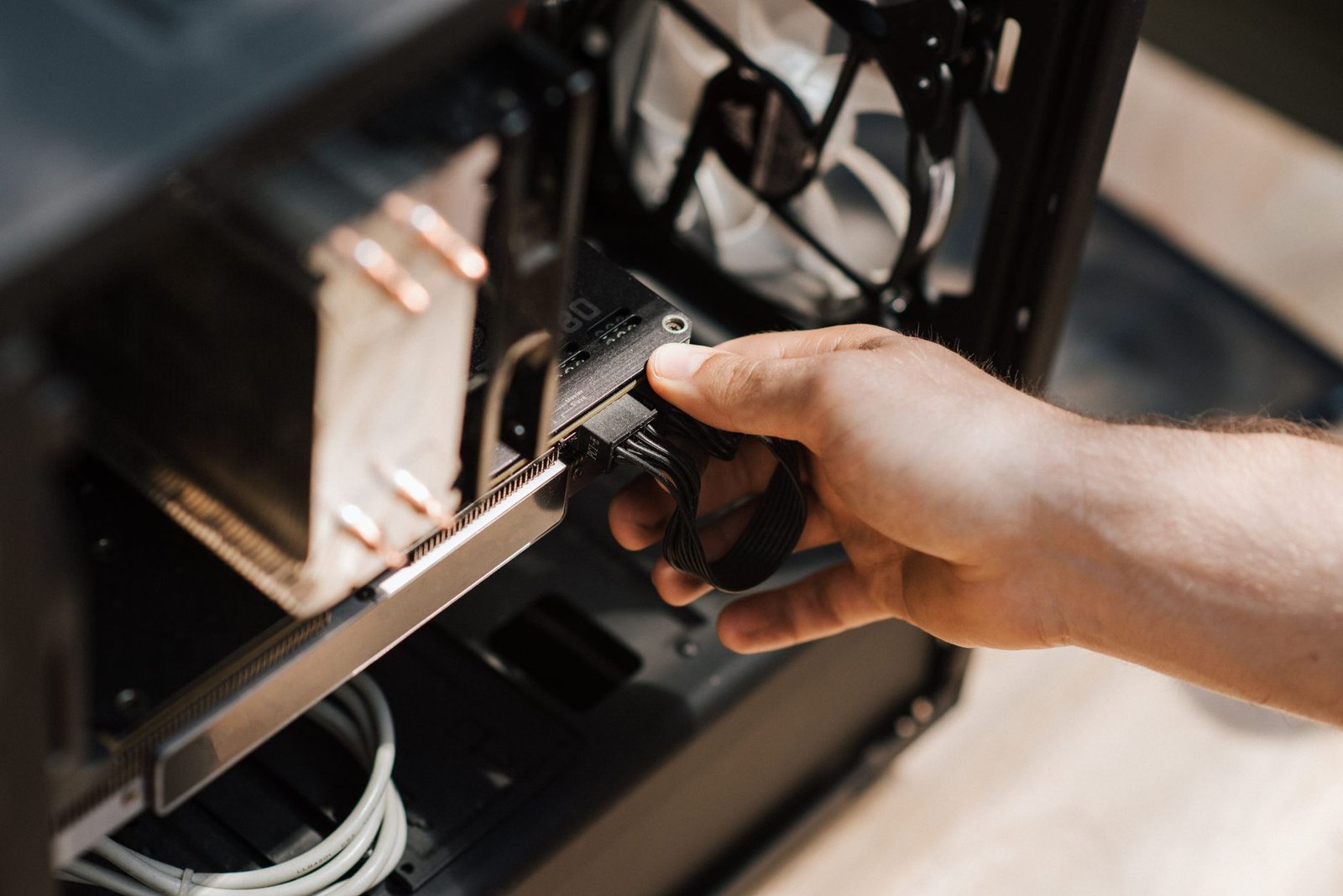
These sequential figures translate directly into snappy real-world responsiveness. Windows 11 boots in under seven seconds, while modern titles like Cyberpunk 2077 load assets almost instantaneously compared to legacy SATA drives.
Efficiency and Smart Caching Mechanics
Efficiency is a major strength of the P3 Plus, largely thanks to its DRAM-less Phison PS5021-E21T controller paired with Host Memory Buffer (HMB) technology. Operating at under 4.5 Watts under full workload, the drive maintains exceptionally low operating thermals. This efficient power profile makes it an ideal storage upgrade for compact laptops and thermal-constrained Mini-ITX cases.
To handle bursty file transfers, Crucial utilizes Dynamic Write Acceleration, which dynamically allocates a flexible portion of the flash memory into a high-speed pseudo-SLC cache. This intelligent caching strategy allows the drive to sustain high-speed write bursts during large steam game updates or 4K raw video ingestion.
blockquote>Expert Tip: Dynamic SLC caching relies on free storage space to function effectively. To prevent write performance drop-offs during massive file transfers, avoid filling your Crucial P3 Plus beyond 85% of its total capacity.
Management Suite and Endurance Considerations
Managing the drive is simple using the comprehensive Crucial Storage Executive software suite version 10.03. This utility provides full S.M.A.R.T. diagnostic tracking, seamless firmware updates, self-encrypting drive management, and active wear leveling oversight.
The primary trade-off comes down to its 176-layer Micron QLC (Quad-Level Cell) NAND flash architecture. The 1TB model carries an endurance rating of 220 Total Bytes Written (TBW) backed by a 5-year limited warranty. While mainstream buyers seeking top budget NVMe SSDs will rarely hit this write threshold, heavy content creators writing hundreds of gigabytes daily should evaluate their long-term endurance requirements.
Kingston NV2: Maximum Value for PCIe 4.0 Storage
The Kingston NV2 stands out as an unbeatable entry point among modern budget NVMe SSDs in 2026. Retailing around $45 for the 1TB capacity and under $70 for 2TB, this drive delivers remarkable value for PC builders on a tight budget. It functions exceptionally well as a secondary game repository or a cost-effective bulk storage expansion for scratch disks.
Its slim, single-sided M.2 2280 footprint makes physical installation effortless across a wide range of devices. The ultra-thin profile fits seamlessly into modern thin-and-light ultrabooks and space-constrained small form factor (SFF) desktop builds without clearance issues.
Gen 4×4 Throughput and Power Management
Leveraging four lanes of PCIe 4.0 bandwidth, the Kingston NV2 achieves sequential read speeds reaching up to 3,500 MB/s and write speeds up to 2,800 MB/s. While these metrics represent entry-level Gen 4 performance, they offer roughly double the sequential throughput of legacy Gen 3 drives.
- Optimized Energy Efficiency: Operating active power consumption stays under 2.3W during sustained writes, preventing thermal throttling and extending laptop battery runtime during portable productivity sessions.
- Cool Operational Modes: Low idle power states keep temperatures low, making thermal pads or chunky motherboard heatsinks optional for daily computing.
- Backward Compatibility: Full legacy support for PCIe 3.0 motherboards guarantees plug-and-play functionality for older desktop system upgrades.
Understanding Component Variations in Real-World Use
One crucial aspect of the Kingston NV2 is its hardware variation model. Kingston uses dynamic component sourcing, meaning individual drives may feature different controller chips like the Phison E19T or Silicon Motion SM2269XT, alongside either TLC or QLC 3D NAND flash memory.
In benchmark stress tests, QLC-based variants experience noticeable speed dips once the pseudo-SLC cache fills during massive 100GB+ file transfers. However, for everyday web browsing, office applications, and typical game launch times, these controller differences remain practically imperceptible to average users looking for top-value budget NVMe SSDs.
…
Silicon Power UD90: High-Speed Performance on a Budget
The Silicon Power UD90 stands out in 2026 as an exceptionally value-focused PCIe 4.0 drive. Currently priced around $58 for the 1TB capacity, this drive proves that builders do not need to spend over $100 to get crisp operating system responsiveness and snappy application loading times. It earns its reputation as one of the best budget NVMe SSDs available for value-minded PC builders.
Exceptional Gen4 Speeds and Flexible Compatibility
Equipped with the Phison PS5021-E21T controller and 3D NAND flash memory, the Silicon Power UD90 achieves impressive sequential performance. In benchmark tests like CrystalDiskMark 8, it hits read speeds up to 5,000 MB/s and write speeds up to 4,800 MB/s. These figures challenge noticeably pricier drives like the Samsung 980 Pro while keeping costs strictly under the $75 cap.
A major strength of the UD90 is its full backward compatibility with older PCIe Gen3x4 motherboard slots. If your system runs an older B450 or Z390 motherboard, the drive operates seamlessly at maximum Gen3 bandwidth before unleashing its full Gen4 potential during your next system overhaul.
Advanced Data Integrity and Thermal Safeguards
Long-term reliability remains a core requirement for primary boot drives, and Silicon Power addresses this with robust firmware protections:
- Low-Density Parity-Check (LDPC) ECC: Utilizes advanced hardware-based error correction algorithms to detect and resolve bit errors, preserving data integrity over long-term usage cycles.
- Dynamic Thermal Throttling: Built-in thermal monitoring mechanisms monitor controller temperatures and adjust throughput during intense 100GB+ file transfers to prevent drive overheating.
- Broad Hardware Compatibility: The standard M.2 2280 single-sided form factor fits easily into thin laptops, desktop motherboard heat spreaders, and portable gaming setups.
- Endurance Rating: Rated for up to 600 TBW (Terabytes Written) on the 1TB model, backed by a limited 5-year manufacturer warranty.
When tested against intensive gaming workloads like Cyberpunk 2077 or heavy video editing in DaVinci Resolve 19, the UD90 holds up impressively against heat buildup without requiring massive aluminum heatsinks. This thermal efficiency makes it a fantastic drop-in choice for cramped laptop chassis and compact Mini-ITX builds.
Ultimately, the Silicon Power UD90 offers an unrivaled balance of speed, thermal efficiency, and broad hardware support. It remains a benchmark choice among top budget NVMe SSDs for anyone building a fast, reliable PC on a strict budget.
Teamgroup MP44L: Excellent Thermal Control for Compact Builds
When building or upgrading a compact PC in 2026, thermal management becomes just as critical as raw transfer performance. The Teamgroup MP44L 1TB PCIe 4.0 M.2 drive emerges as one of the smartest budget NVMe SSDs on the market, retailing for approximately $58. It combines fast PCIe Gen 4×4 throughput with a specialized cooling design engineered for tight spaces.
With sequential read speeds reaching 5,000 MB/s and sequential writes pushing 4,500 MB/s, this drive delivers exceptional responsiveness for productivity and gaming workloads. Furthermore, its intelligent power management keeps power consumption minimal, helping extend battery runtime in portable systems.
Thermal Management and Form Factor Performance
The defining innovation of the Teamgroup MP44L is its patented ultra-thin graphene label acting as an active heatsink to dissipate active thermal loads. Measuring under one millimeter in thickness, this copper-graphene composite sticker rapidly spreads heat away from the controller without interfering with clearance constraints. Consequently, its lightweight profile is perfectly suited for tight notebook chassis layouts like the ASUS ROG Zephyrus G14 or slim ultrabook laptops.
- Patented Graphene Heatsink: Utilizes an innovative graphene label acting as a heatsink to dissipate active thermal loads during heavy reads and writes.
- Dynamic SLC Caching Mechanism: Features full support for SLC caching mechanism optimizing operating system launch tasks and application loading times.
- Stable Continuous Write Speeds: Delivers stable continuous write speeds ideal for content creators and budget video editors rendering high-bitrate 4K footage.
- Compact M.2 2280 Profile: Features a single-sided PCB design perfectly suited for tight notebook chassis layouts and cramped mini-PC enclosures.
- Comprehensive Hardware Protection: Backed by a comprehensive 5-year limited warranty protecting user hardware investments alongside a 600 TBW endurance rating.
Sustained Workloads and Real-World Value
For digital creators transferring large media files, sustained write consistency prevents frustrating performance degradation halfway through a render. Supported by Host Memory Buffer 3.0 technology, the MP44L maintains fluid performance even when moving multi-gigabyte video project folders. Combined with long-term warranty coverage, this drive represents an outstanding value for builders seeking cool, dependable storage.
How to Install Budget NVMe SSDs in Your PC
Before diving into the physical installation, gather your essential tools and take crucial precautions. You’ll need a Phillips head screwdriver (often a smaller size, like PH1 or PH2), an anti-static wrist strap, and good lighting. Always power down your PC completely and unplug the power cord from the wall outlet. Ground yourself by touching a metal part of the PC case before handling any components to prevent electrostatic discharge (ESD), which can damage sensitive electronics. Having a small container for screws is also helpful.

Locating the M.2 slot on your motherboard is the next step. Most modern motherboards feature at least one M.2 slot, often positioned near the CPU socket or below the primary PCIe x16 slot. Look for a small horizontal connector, usually labeled ‘M.2’. Some higher-end boards may have M.2 heatsinks; you’ll need to remove these first. Carefully align the notch on your budget NVMe SSD with the corresponding key in the M.2 slot and gently push the drive in at a slight angle (around 30 degrees) until it’s seated.
Securing and Initial Setup
Once the drive is seated, pivot it down towards the motherboard. Secure it using the small M.2 screw provided with your motherboard or SSD, or engage any toolless latches if your board has them. Do not overtighten the screw, as this can damage the drive or slot. After reassembling your PC and booting up, the new drive might not appear immediately in Windows File Explorer. You’ll need to initialize and partition it using Windows Disk Management. Search for ‘Disk Management’ in the Windows search bar and open the tool.
It’s wise to format your new budget NVMe SSD with a 64KB allocation unit size for optimal performance with modern operating systems and large file transfers.
In Disk Management, you should see your new drive listed as ‘unallocated’. Right-click on it and select ‘New Simple Volume’. Follow the wizard, assigning a drive letter and formatting it with the NTFS file system. For migrating your existing operating system, consider using free cloning software like Macrium Reflect Free or EaseUS Todo Backup Free. These tools allow you to copy your entire C: drive to the new NVMe SSD, enabling you to boot from it without reinstalling Windows and its applications. This process significantly speeds up your system’s boot times and application loading.
Frequently Asked Questions
Are budget NVMe SSDs durable enough for primary OS drives?
Yes, modern budget NVMe SSDs are highly durable and reliable for use as primary operating system drives. Most budget drives utilize advanced Host Memory Buffer technology alongside durable 3D NAND flash memory, offering endurance ratings between 300 and 600 Terabytes Written (TBW). This means you can write hundreds of gigabytes of data every single day for several years before reaching the drive’s endurance limit. Furthermore, top manufacturers back these budget drives with 3 to 5-year warranties, giving you peace of mind for daily computing tasks.
Do I need a heatsink for a budget PCIe 4.0 NVMe SSD?
In most standard desktop setups and everyday computing environments, budget PCIe 4.0 NVMe SSDs do not strictly require an aftermarket heatsink. These entry-level drives are engineered for high energy efficiency and generate relatively moderate heat compared to premium top-tier Gen4 SSDs. However, if your desktop motherboard comes with a pre-installed M.2 metal heat spreader, using it is recommended. For laptops or tight mini-ITX cases with minimal airflow, choosing a drive with a thin built-in heat dissipater like a graphene label can help maintain optimal speeds.
Can I install a PCIe 4.0 NVMe SSD in a PCIe 3.0 motherboard?
Yes, PCIe technology is fully backward and forward compatible. You can easily install a PCIe 4.0 NVMe SSD into a motherboard equipped with PCIe 3.0 M.2 slots. The drive will function normally, but its maximum sequential read and write speeds will be capped by the bandwidth limits of the PCIe 3.0 interface, which is approximately 3,500 MB/s. Despite this throughput cap, you will still enjoy extremely fast access times, low latency, and great power efficiency, making it a smart and future-proof upgrade path.
What is the difference between DRAM and DRAMless budget SSDs?
SSDs with dedicated DRAM chips contain onboard high-speed memory to store the drive’s file location map, enabling faster data lookup times. DRAMless budget SSDs omit this physical chip to reduce manufacturing costs and sale prices. Instead, modern DRAMless NVMe drives use Host Memory Buffer (HMB) technology, borrowing a tiny fraction of your PC’s system RAM to store this mapping table. For everyday tasks, gaming, and general office work, HMB performance is practically indistinguishable from drives with dedicated DRAM.
Is 1TB enough storage for a budget gaming PC build?
A 1TB budget NVMe SSD is currently considered the sweet spot for budget gaming builds and everyday PCs. With operating system files taking up roughly 30 to 50 GB, a 1TB drive leaves around 900 GB of usable space, which can store the OS, essential software, and roughly 8 to 12 modern AAA video games. If you store massive raw video files or maintain huge game libraries simultaneously, you may eventually want to add a second drive, but 1TB remains ideal for standard users.
How do I clone my old hard drive to a new NVMe SSD?
Cloning your existing drive to a new NVMe SSD requires cloning software, which is often provided free by SSD manufacturers like Crucial or Western Digital. First, physically install the new NVMe SSD into an open M.2 slot or connect it via an external USB NVMe enclosure. Next, download software like Acronis True Image or Macrium Reflect, select your old storage drive as the source and the new NVMe drive as the target, and begin the cloning process. Finally, reboot into BIOS and select the new SSD as the primary boot drive.
Final Thoughts
Selecting the best budget NVMe SSD under $75 can completely revitalize your PC’s responsiveness without draining your wallet. Modern PCIe 4.0 options like the Crucial P3 Plus and WD Blue SN580 prove that high speeds, excellent endurance, and dependable thermal efficiency are readily available at accessible price points. Whether you need an entry-level primary boot drive or additional high-speed storage for your expanding game library, these seven drives deliver incredible value for every type of user.
Ready to give your computer an immediate speed boost? Check the latest deals on our recommended budget NVMe SSDs today, verify your motherboard’s M.2 compatibility, and transform your computing experience in under twenty minutes.