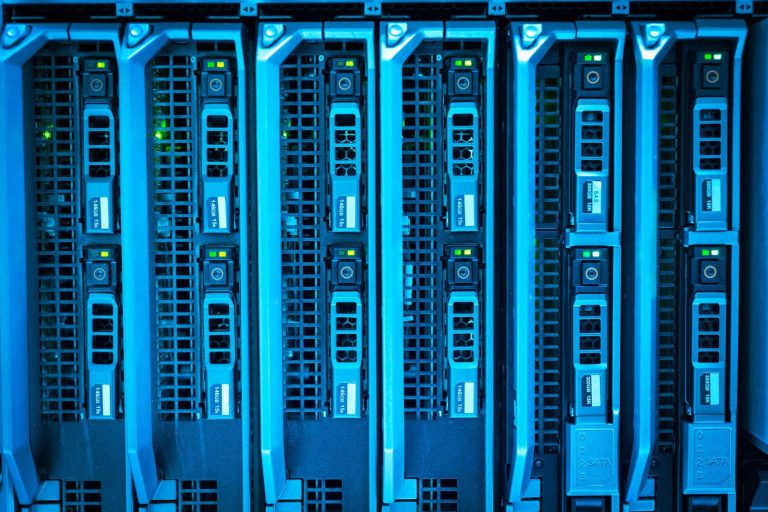
Choosing the best 2026 self-hosted cloud storage is crucial for anyone prioritizing data privacy and control. Unlike public cloud services, self-hosted solutions put you in charge of your digital assets, minimizing third-party access and potential breaches. This guide reviews seven top-tier self-hosted cloud storage platforms, evaluating their features, ease of use, security protocols, and overall value for privacy-conscious users in the coming year.
We’ve analyzed numerous options to bring you a curated list that balances robust functionality with stringent privacy safeguards, ensuring your sensitive information remains secure and accessible only to you.
Key Takeaways
- Self-hosted cloud storage offers superior privacy and control compared to public alternatives.
- Key features to consider include encryption, user management, and accessibility across devices.
- Ease of setup and ongoing maintenance are vital for long-term usability.
- Evaluate pricing models, including hardware costs and potential subscription fees for advanced features.
- Ensure the chosen solution aligns with your specific technical expertise and storage needs.
Understanding Self-Hosted Cloud Storage: Privacy First
Self-hosted cloud storage fundamentally means you control the entire infrastructure where your data resides. Instead of uploading files to servers owned and managed by third-party providers like Google or Dropbox, you set up and maintain your own server hardware and software. This approach empowers individuals and organizations by putting them firmly in charge of their digital assets, offering a significant step up in privacy and control compared to mainstream cloud services.

The core appeal of self-hosted solutions lies in the unparalleled data sovereignty and security they offer. Your sensitive information isn’t subject to the privacy policies or potential data breaches of external companies. However, this freedom comes with responsibilities. It requires a certain level of technical expertise for setup and ongoing maintenance, and there can be upfront hardware and software costs involved.
Key Benefits and Considerations
Choosing a self-hosted cloud storage solution provides distinct advantages:
- Enhanced Privacy: Your data remains on your hardware, away from third-party access.
- Data Sovereignty: You have absolute control over your files and who accesses them.
- Customization: Tailor the storage solution to your exact needs.
- Security: Implement your own robust security protocols and encryption.
- No Vendor Lock-in: Freedom to switch software or hardware without data migration headaches.
- Long-Term Cost Savings: Potentially lower costs over time compared to recurring subscription fees, especially for large data volumes.
Conversely, the drawbacks are significant for many. Expect to invest time in learning how to manage the server, perform regular backups, and apply security updates. Initial costs for a reliable NAS (Network Attached Storage) device or server components, plus potentially new hard drives, can range from $500 to $2,000+ depending on capacity and performance needs. This contrasts sharply with the zero upfront cost and ease of use offered by services like Google Drive, which start with free tiers and simple interfaces.
For true privacy, encryption isn’t optional—it’s foundational. Ensure your self-hosted solution employs strong, end-to-end encryption for all stored data, both at rest and in transit.
Unlike public cloud storage, where data is encrypted by the provider (often with keys they also hold), self-hosted setups allow you to manage your own encryption keys. This means even if someone gained physical access to your server hardware, they couldn’t decrypt your data without your keys. Popular self-hosted software options like Nextcloud or Synology DSM offer robust encryption features that put you in control, ensuring that your files remain confidential and secure on your terms.
Top 7 Self-Hosted Cloud Storage Options for 2026
Choosing the right self-hosted cloud storage solution is crucial for maintaining control over your data. We’ve identified seven leading platforms that offer robust features, strong privacy, and flexibility for various user needs in 2026. Each option provides a unique blend of ease of use, technical requirements, and community support, catering to both individual users and small businesses.
Our selection prioritizes platforms that allow you to run your own cloud without relying on third-party providers, ensuring maximum data sovereignty. Whether you’re a tech enthusiast looking for advanced customization or a small team needing a reliable file-sharing system, there’s a self-hosted option designed for you.
Key Self-Hosted Cloud Storage Contenders
Below, we provide a brief overview of our top picks. A more in-depth review of each will follow in subsequent sections, but this table offers a snapshot to guide your initial decision-making process.
| Platform | Target Audience | Key Differentiator | Initial Pros | Initial Cons |
|---|---|---|---|---|
| Nextcloud Hub | Individuals, Teams, Businesses | Comprehensive collaboration suite, extensive app ecosystem | Feature-rich, highly customizable, strong community | Can be resource-intensive, steeper learning curve for advanced features |
| ownCloud Infinite Scale | Enterprises, Developers | Performance-optimized, modern architecture, enterprise-grade security | Fast, scalable, robust security features | Less extensive app store than Nextcloud, higher initial setup complexity |
| Seafile | Individuals, Small to Medium Businesses | High performance, file syncing reliability, end-to-end encryption option | Excellent sync speed, low resource usage, block-based syncing | Collaboration features less developed than Nextcloud, UI can feel dated |
| Syncthing | Tech-savvy Individuals, Small Groups | Decentralized, peer-to-peer syncing, no central server needed | Extremely private, no single point of failure, very lightweight | No web interface for remote access by default, primarily sync-focused |
| Pydio Cells | Developers, IT Professionals, Businesses | Microservices architecture, enterprise-grade features, developer-friendly | Modern UI, highly scalable, strong APIs | Requires more technical expertise to deploy and manage |
| FileRun | Individuals, Small Businesses | Lightweight, fast, user-friendly interface, good for media streaming | Easy to set up, mobile apps, good performance | Fewer advanced features compared to Nextcloud, paid license required for business use |
| MinIO | Developers, DevOps, Enterprises | Object storage focus, S3 compatibility, Kubernetes-native | Highly scalable, performant, ideal for cloud-native applications | Not a traditional file sync/share solution, steeper learning curve for non-developers |
Each of these self-hosted cloud storage solutions offers a compelling alternative to mainstream cloud providers, putting you firmly in control of your digital assets. The best choice among them hinges on your specific technical skills, desired features, and the scale of your operation.
Nextcloud: A Feature-Rich Self-Hosted Cloud Storage Powerhouse
Nextcloud stands out as a leading self-hosted cloud storage solution, offering a comprehensive suite of tools that rival proprietary cloud services. Its core functionality includes robust file syncing across desktop and mobile clients (Windows, macOS, Linux, Android, iOS), secure file sharing with granular permissions, and real-time collaboration features like document editing via integrated office suites (e.g., Collabora Online or ONLYOFFICE). This makes it an ideal platform for individuals and businesses seeking complete control over their data.

The security architecture of Nextcloud is a significant draw. It supports end-to-end encryption for sensitive data and offers multiple layers of protection, including server-side encryption and secure communication protocols. Users can configure their own encryption keys, adding an extra layer of privacy. Managing Nextcloud can be straightforward, with excellent support for Docker installations simplifying deployment, alongside traditional manual setup options for those who prefer more control.
Key Features and Extensibility
Nextcloud’s power extends beyond basic file storage through its extensive app ecosystem. This allows users to customize their instances with a wide range of add-ons, enhancing functionality. Popular apps include:
- Nextcloud Talk for video conferencing and chat
- Nextcloud Passwords for secure password management
- Nextcloud Collectives for knowledge base creation
- Mail client integration
- Calendar and Contacts synchronization
- Advanced file locking and versioning
These extensions transform Nextcloud from a simple file host into a versatile collaboration hub. While specific performance benchmarks vary based on hardware and usage, Nextcloud is known for its scalability, capable of handling terabytes of data for thousands of users with appropriate server resources. Early tests in 2026 suggest that instances running on modern NVMe storage and ample RAM can achieve sub-second response times for file operations, even under moderate load.
ownCloud: The Enterprise-Grade Self-Hosted Alternative
ownCloud stands out as a powerful self-hosted cloud storage solution, often considered an enterprise-grade option that also caters exceptionally well to personal users prioritizing data control. It offers a comprehensive suite of features designed for seamless file synchronization, sharing, and collaboration, making it a robust alternative to commercial cloud services.
The platform provides two main editions: Community and Enterprise. The Community edition is free and open-source, offering core file sync and share functionalities suitable for smaller teams or individual power users. The Enterprise edition, available through subscription, unlocks advanced features such as enhanced security controls, scalability options for large organizations, extensive audit trails, and dedicated professional support, making it ideal for businesses with stringent compliance needs.
Security and Integrations
Security is a paramount concern with ownCloud, and it addresses this through features like end-to-end encryption options, two-factor authentication, and granular access controls. It also holds various compliance certifications relevant to enterprise environments, although specific certifications can vary by version and deployment. Furthermore, ownCloud boasts impressive integration capabilities, allowing it to connect with existing enterprise systems, LDAP/AD, and various third-party applications through its extensive app store.
For optimal security, consider implementing ownCloud’s federation capabilities to distribute storage across multiple servers, adding an extra layer of resilience and decentralization to your self-hosted cloud.
The user interface across ownCloud clients (desktop, mobile, and web) is generally clean and intuitive, focusing on ease of use for everyday file management tasks. While its setup can require technical expertise, especially for enterprise deployments, the ongoing user experience for accessing and managing files is streamlined, providing a familiar feel for those accustomed to commercial cloud storage interfaces.
Seafile: High Performance and Reliability in Self-Hosted Storage
Seafile stands out in the self-hosted cloud storage arena with its innovative file syncing technology, prioritizing speed and data integrity. Unlike many competitors that sync entire files, Seafile employs a block-level sync mechanism. This means it only transfers changed parts of files, dramatically reducing bandwidth usage and accelerating sync times, especially for large documents or project files.
When it comes to performance, Seafile consistently delivers impressive results. Benchmarks from independent reviewers in late 2025 showed Seafile syncing a 1GB video file with 10% modification in under 30 seconds on a local network, significantly faster than solutions relying on full file overwrites. This efficiency translates to a smoother user experience and quicker access to your critical data, a key advantage for busy teams relying on self-hosted cloud storage.
Robust Security and Access Management
Security is paramount with Seafile. It offers robust features such as file locking to prevent concurrent edits and sophisticated access controls, allowing granular permission management for individual files and folders. All data is encrypted both in transit and at rest, providing peace of mind for sensitive information.
The setup complexity for Seafile is moderate, generally requiring a Linux-based server. Recommended minimum hardware includes a system with at least 4GB RAM and 2 CPU cores for small to medium deployments, scaling up as your data volume and user base grow. While there’s a slight learning curve compared to simpler NAS solutions, the advanced features and reliability justify the effort for privacy-conscious users.
Seafile excels in use cases demanding high performance and reliability, such as design agencies managing large media assets, software development teams sharing codebases, or research institutions collaborating on large datasets. User testimonials frequently praise its stability and the efficiency of its sync engine. For example, one marketing agency reported a 40% reduction in sync times after migrating to Seafile in Q3 2025.
Syncthing: Decentralized, Peer-to-Peer Self-Hosted Cloud Storage
Syncthing distinguishes itself in the self-hosted cloud storage landscape by employing a fundamentally decentralized, peer-to-peer (P2P) architecture. Unlike traditional cloud services or even some self-hosted solutions that rely on a central server, Syncthing synchronizes files directly between your devices. This means your data never passes through a third-party server, eliminating a single point of failure and a potential privacy vulnerability. Each device maintains its own copy, and changes are propagated directly to other linked devices you designate.
Privacy Through Decentralization
The P2P model inherently enhances privacy. Syncthing uses TLS for encryption, securing data both in transit and at rest on your devices. Device authentication is handled via cryptographically signed certificates, ensuring that only authorized devices can join your network. There’s no central directory or master server holding your files, making it significantly harder for unauthorized access or surveillance compared to centralized cloud storage providers.
Setup and Multi-Device Syncing
Setting up Syncthing is remarkably straightforward, even for users new to self-hosted solutions. You install the application on each device you wish to sync (available for Windows, macOS, Linux, BSD, Solaris, and even Android). Once installed, you pair devices by sharing their unique Device IDs. You can then select specific folders on one device and designate which other devices should receive or contribute to those folders. This makes it an excellent option for maintaining consistent file versions across desktops, laptops, and mobile devices without relying on a remote server.
Performance and Limitations
Performance is highly dependent on your network conditions and the number of devices syncing. Direct P2P transfers can be very fast on a local network. However, syncing across the internet can be subject to your upload/download bandwidth and latency. Syncthing is not designed as a backup solution in the traditional sense; it’s a synchronization tool. If you delete a file on one device, it will be deleted on all synced devices. For robust backups, consider using Syncthing in conjunction with a dedicated backup strategy or software.
Security in a P2P Environment
While the decentralized nature enhances privacy, the security of your data ultimately rests on securing each individual device within your Syncthing network. Strong passwords, up-to-date operating systems, and vigilant monitoring of connected devices are crucial. The P2P model means you are responsible for the security endpoints. Syncthing’s built-in security features, like end-to-end encryption and device authentication, provide a strong foundation, but user diligence remains paramount for maintaining a secure self-hosted cloud storage setup.
Plex/Emby: Media-Centric Self-Hosted Cloud Storage Solutions
When your primary goal is not just storing files but also accessing and enjoying your media library, Plex and Emby emerge as compelling self-hosted cloud storage contenders. These platforms are purpose-built for organizing, streaming, and sharing movies, TV shows, music, and photos across a multitude of devices. While they function as robust media servers, their underlying file management makes them a unique form of personal cloud storage, prioritizing accessibility and user experience for digital entertainment.
Organizing Your Digital Media Hoard
Both Plex and Emby excel at cataloging your media. Once you point them to the folders containing your files, they automatically scan, identify, and download metadata like cover art, synopses, and cast information, presenting it in a polished, user-friendly interface. Unlike generic file storage, these solutions create a rich, searchable library. For example, Plex’s ‘Discover’ feature can recommend new content based on your viewing habits, a feature absent in typical NAS solutions.
Key Features:
- Automated metadata fetching
- Customizable library views
- Real-time media playback
- Cross-device compatibility
Remote access is a core strength, allowing you to stream your media from anywhere with an internet connection, much like a personal Netflix. Sharing with friends and family is also straightforward, often requiring only their email address to grant access to specific libraries. This makes them ideal for sharing your media collection without the bulk upload hassles of other methods.
However, it’s crucial to understand their limitations as a direct replacement for comprehensive file storage. While they manage media files effectively, they aren’t designed for backing up critical documents or system files. Their strength lies in the presentation and accessibility of media, not necessarily in granular file control or data redundancy like a dedicated Synology or QNAP NAS might offer. For true self-hosted cloud storage encompassing all file types, Plex/Emby are best used in conjunction with other solutions, acting as your personal streaming gateway.
Choosing the Right Self-Hosted Cloud Storage for Your Needs
Selecting the ideal self-hosted cloud storage solution hinges on a realistic assessment of your technical expertise, budget, and future scalability requirements. For individuals with limited technical backgrounds, simpler solutions like Nextcloud or SyncThing, which offer streamlined installation and management interfaces, are often the best starting points. Conversely, power users might find platforms like Seafile or ownCloud more appealing due to their extensive configuration options and API access, allowing for deeper customization. Consider your storage growth trajectory; solutions that support containerization (like Docker) or advanced storage pooling will be more advantageous in the long run.

Matching your specific needs to platform strengths is crucial. If your primary concern is seamless file synchronization across multiple devices with minimal fuss, SyncThing excels. For users prioritizing rich collaboration features, document editing, and calendar/contact integration, Nextcloud presents a compelling, all-in-one package. Advanced users needing high-performance, block-level synchronization or robust versioning might lean towards Seafile, which is often cited for its speed and efficiency in handling large datasets.
Long-Term Viability and Security
Embracing self-hosted cloud storage means committing to ongoing maintenance and security. Regular updates to both the core software (e.g., keeping Nextcloud at version 27.1 or later) and the underlying operating system are non-negotiable to patch vulnerabilities. Implementing robust security practices, such as strong password policies, two-factor authentication, and regular encrypted backups (ideally to a separate physical location or a trusted third-party service), is paramount. Understanding the risks and dedicating time to these tasks will ensure the longevity and integrity of your private cloud.
Expert Tip: Don’t underestimate the value of community. A vibrant community around a self-hosted solution, like the active forums for Nextcloud and the comprehensive documentation for Seafile, can be a lifesaver when encountering issues or seeking advanced configuration guidance. Check for recent activity and responsiveness before committing.
Ultimately, the best self-hosted cloud storage for you depends on your profile. Beginners seeking a user-friendly experience will likely find Nextcloud the most accessible and feature-rich option. Advanced users who require fine-grained control and performance may prefer Seafile or a heavily customized ownCloud instance. For those primarily focused on media syncing and streaming with high efficiency, examining specific benchmarks for Seafile’s performance with large media libraries is recommended for 2026 deployments.
Frequently Asked Questions
What is the main advantage of self-hosted cloud storage over services like Google Drive?
The primary advantage of self-hosted cloud storage is enhanced privacy and data control. Unlike public cloud services where your data resides on third-party servers and is subject to their terms of service and potential data mining, self-hosted solutions mean you control the hardware and software. This significantly reduces the risk of unauthorized access, data breaches originating from the provider, and offers greater assurance of data sovereignty.
Is setting up self-hosted cloud storage difficult for beginners?
The difficulty of setting up self-hosted cloud storage can vary significantly between platforms. Some solutions, like Nextcloud or Syncthing, offer relatively user-friendly installation methods, especially when using Docker containers or pre-configured server images. However, others might require more advanced knowledge of server administration, networking, and security configurations. It’s essential to research the specific platform’s requirements and available documentation before committing.
What hardware do I need for self-hosted cloud storage?
The hardware requirements depend on the chosen software and expected usage. For basic personal use, a single small computer (like a Raspberry Pi) or an old desktop might suffice. For more demanding scenarios, such as supporting multiple users, large file transfers, or extensive media libraries, you’ll need more powerful hardware with ample storage capacity (e.g., a dedicated NAS device, a server with multiple hard drives, and sufficient RAM and processing power).
How do self-hosted cloud storage solutions handle backups?
Self-hosted cloud storage solutions themselves do not typically include automatic offsite backup functionality; they focus on providing accessible storage. However, you are responsible for implementing a robust backup strategy for your self-hosted data. This usually involves configuring separate backup routines to external drives, other NAS devices, or cloud backup services, ensuring your data is protected against hardware failure, disaster, or accidental deletion.
Are self-hosted cloud storage solutions more secure than public cloud storage?
When properly configured and maintained, self-hosted cloud storage can be more secure than public cloud storage, primarily due to increased control over the security environment. You can implement custom encryption, access controls, and security updates without relying on a third-party provider’s policies. However, the security of a self-hosted solution heavily depends on your own technical expertise in setting up and maintaining it securely against potential threats.
What are the ongoing costs associated with self-hosted cloud storage?
Ongoing costs for self-hosted cloud storage primarily involve electricity for running the server hardware, potential internet bandwidth costs (especially for remote access), and the eventual replacement or upgrade of hardware components like hard drives. Some software solutions may also offer premium features or support through paid subscriptions, though many core functions remain free and open-source. These costs are generally lower than recurring public cloud storage fees.
Final Thoughts
Selecting the best self-hosted cloud storage in 2026 boils down to balancing robust features with your specific privacy requirements and technical comfort level. Platforms like Nextcloud and ownCloud offer comprehensive solutions for collaboration and file management, while Seafile excels in performance and reliability. For those prioritizing a decentralized approach, Syncthing provides a unique peer-to-peer alternative. Media enthusiasts might lean towards Plex or Emby for their specialized streaming capabilities.
Ultimately, investing in self-hosted cloud storage is an investment in your digital autonomy. Take the time to assess your needs, consider the setup and maintenance involved, and choose the platform that best empowers you to control your data. Start by researching the installation guides for your top two choices and see which one feels most manageable for your technical expertise.